PSEB 7th Class Science Solutions Chapter 12 Reproduction in Plants

Punjab State Board PSEB 7th Class Science Book Solutions Chapter 12 Reproduction in Plants Textbook Exercise Questions and Answers.

PSEB Solutions for Class 7 Science Chapter 12 Reproduction in Plants

Science Guide for Class 7 PSEB Reproduction in Plants Intext Questions and Answers

Think and Answer (Textbook Page No. 147)

Question 1.
What happens in the regeneration method of reproduction?
Answer:
In the regeneration method, the living organisms (plants and animals) repair themselves or grow their lost parts. In this way they replace their old or dead cells with new ones. Plants have a higher capacity of regeneration than animals.

Question 2.
Give two examples of organisms reproducing through binary fission.
Answer:
Asexual reproducing organisms by binary fission method are:

  1. Moss,
  2. Mould.

PSEB 7th Class Science Guide Reproduction in Plants Textbook Questions and Answers

1. Fill in the Blanks:

(i) Anther and filament form the ………………. of a flower.
Answer:
Stamens

PSEB 7th Class Science Solutions Chapter 12 Reproduction in Plants

(ii) In …………………….. reproduction seeds are formed.
Answer:
Sexual

(iii) Flowers having, both stamens and pistil are called …………………. .
Answer:
Bisexual

(iv) …………………… is an asexual mode of reproduction.
Answer:
Vegetative propagation

2. State True or False:

(i) Yeast reproduces by sexual and asexual means.
Answer:
False

(ii) Pollen grains are the male gametes of a flower.
Answer:
True

(iii) Ginger is a stem which bears nodes and internodes.
Answer:
True

(iv) Cutting and grafting are natural means of reproduction.
Answer:
False

3. Match the Column ‘A’ with Column ‘B’:

Column ‘A’ Column ‘B’
(i) Sweet potato (a) Micropropagation
(ii) Potato (b) Bryophyllum
(iii) Leaf buds (c) Artificial propagation
(iv) Grafting (d) Yeast
(v) Tissue culture (e) Spirogyra
(vi) Bud (f) Adventitious root
(vii) Fragmentation (g) Stem tuber

Answer:

Column ‘A’ Column ‘B’
(i) Sweet potato (f) Adventitious root
(ii) Potato (g) Stem tuber
(iii) Leaf buds (b) Bryophyllum
(iv) Grafting (c) Artificial propagation
(v) Tissue culture (a) Micropropagation
(vi) Bud (d) Yeast
(vii) Fragmentation (e) Spirogyra

PSEB 7th Class Science Solutions Chapter 12 Reproduction in Plants

4. Very Short Answer Type Questions:

Question (i)
In which mode of reproduction new plants are formed from only one parent ?
Answer:
By Asexual reproduction method new plants are formed from one parent. The different examples are:

  1. Grafting,
  2. Layering,
  3. Tissue culture.

Question (ii)
Which part of the flower develops into fruit ?
Answer:
After fertilization, the ovaries become fruit.

Question (iii)
How does yeast multiply ?
Answer:
The most common method of reproduction in yeast is asexual reproduction by budding in which a tiny bud forms on the outer surface of parent cell.

Question (iv)
Give one example where air helps in pollination.
Answer:
When the pollen cells ripe, they burst and the pollen grains come out of them. Pollen grains are very light. So when the wind blows, they are blown away by the wind. These pollinators reach the stigma of the flowers of the same plant or of another flower of the same species where the pollination takes place.

Question (v)
Name the reproductive parts of a flower.
Answer:
The reproductive parts of the flower are:

  1. Stamen (male reproductive part)
  2. Pistil (female reproductive part.)

Short Answer Type Questions:

Question (i)
Name different methods of asexual reproduction in plants.
Answer:
Asexual reproduction method is one in which no seed is required for growing new plants. A single plant produces a new plant. Asexual reproduction occurs in the following ways:

  1. Binary fission,
  2. Budding,
  3. Fragmentation,
  4. Spore formation,
  5. Regeneration.

Question (ii)
What is artificial propagation in plants ?
Answer:
Artificial Propagation. Artificial methods of reproduction are adopted to increase the number of useful plants. In these methods neither the reproductive organ takes part nor the seed is produced. In this artificial reproduction new plants grow through roots, stems, branches or leaves.

Below are some of the artificial methods:

  1. Grafting (stems and roots),
  2. Burying,
  3. Pruning,
  4. Tissue culture.

PSEB 7th Class Science Solutions Chapter 12 Reproduction in Plants

Question (iii)
What is tissue culture technique or micro propagation ?
Answer:
Tissue culture or micro-reproduction: This method involves taking some percent of the tissue from the tip of a plant branch because it contains rapidly developing, underdeveloped and undifferentiated cells. This mass has essential nutrients and hormones stored in it. Small parts of the tissue are kept in a medium until they begin to regenerate as plantlets. These buds (small plants) are transplanted in moist soil. This process is of reproduction is called tissue culture.

Question (iv)
Describe advantages of seed dispersal.
Answer:
Advantages of Seed dispersal:

  1. Seed dispersal spreads the plant over a large area.
  2. The probability of dense vegetation in one place decreases.
  3. Plants have the right growth.
  4. Plants get proper sunlight, water and minerals as competition for nutrients get reduced.

Question (v)
What is germination ? What are the conditions needed for germination ?
Answer:
After reaching the fertile soil, the seeds absorb water and swell up. Now the embryo
begins to germinate and its radical (root sprout) grows down into the soil and forms a root. The plumule grows upward in the air and develops leaves and shoot. It is a form of young small plant.

Essential conditions for germination:
All seeds need (i) water, (ii) oxygen (air) and (iii) proper temperature for germination. Some seeds also need the right amount of light. When the seed finds the right conditions, it activates and germinates the enzyme by moving water and oxygen inward from the outer layer and forms the seed root which receives water from the ground and forms a stem which moves towards the wind and leaves come out on the trunk from which the sun makes food in the light.
6. Long Answer Type Questions:

Question (i)
Describe different kinds of asexual reproduction with examples.
Answer:
Different kinds of post-asexual reproduction :
1. Fission.
This is the most common method of asexual reproduction in which an organism is divided into new organisms. It is common in plants and some single-celled organisms such as fungi, some mosses. In this method of reproduction the organism is divided into equal parts. The nucleus is divided into two parts and both parts evolve as individual adult.
PSEB 7th Class Science Solutions Chapter 12 Reproduction in Plants 1

2. Budding.
The word bud means small outgrowth. In the process of budding, a small bud grows on the body of the parent organism and when it grows to full size individual, it detaches itself to form a new organism.
Budding is commonly seen in hydra and yeast.
PSEB 7th Class Science Solutions Chapter 12 Reproduction in Plants 2

3. Fragmentation.
This type of reproduction occurs commonly in Algae. It appears as green spots in ponds, lakes or other standing water bodies. When abundant water and nutrients are available, they are multiplied by fragmentation. In this method an algae is divided into two or more pieces. Each piece develops into new organisms. This process is repeated many times.
Other examples are Star fish, some Worms, Lichens etc.
PSEB 7th Class Science Solutions Chapter 12 Reproduction in Plants 3

4. Spore formation.
Spores are very small, round-shaped structures for asexual reproduction. Spores have a hard outer layer and can stay in the air for a long time. Under favourable conditions, each spore germinates to develop into a new organism. Spore formation occurs in both unicellular and multicellular organisms. Rhizopus, a fungus that grows on bread, is produced by asexual reproduction by spores. Plants such as moss and fern also reproduced by spores.
PSEB 7th Class Science Solutions Chapter 12 Reproduction in Plants 4

5. Regeneration.
The organism repairs and enhances its broken limbs in one form or another. New cells replace old or dead cells. The ability of living beings to repair themselves and grow their lost parts is called regeneration. Plants have a higher capacity of regeneration than animals.

PSEB 7th Class Science Solutions Chapter 12 Reproduction in Plants

Question (ii)
Explain different ways with examples in which plants can be reproduced vegetatively by artificial means.
Answer:
Artificial methods of vegetative reproduction.
Humans have adopted artificial methods of vegetative reproduction to increase the number of useful plants. Here are some of the methods:

1. Cutting, (i) (Cutting of stem). Cuttings are small nodules of stems or twigs, when they are pressed in moist soil then under favourable conditions roots germinates to grow as individual plant. As Bougainvillea, sugarcane, cactus and rose can grow by grafting of stem.
PSEB 7th Class Science Solutions Chapter 12 Reproduction in Plants 5

(ii) Root Cuttings. When the roots of plants like lemon, tamarind are buried in moist soil new shoots get developed.
PSEB 7th Class Science Solutions Chapter 12 Reproduction in Plants 6

2. Layering.
A twig of a plant is twisted so that it touches the ground. The portion of plant in contact of ground is then covered with soil. This buried part develops roots under suitable conditions and upper end of this branch is already in the air. The plant thus developed is cut from the original plant and grown in a new place. Jasmine, Strawberry, Yoganvelia plants are grown by layering.

3. Grafting.
The desired plant is derived from two different individuals. Portion of one plant is called stock while stem portion from the other is called seion. Seion is from the plant that wants to propagate and is, therefore, grafted on the stock. Their ends are obliquely cut and the two are placed face to face. Then the two ends are tied tightly and wrapped with polythene.
PSEB 7th Class Science Solutions Chapter 12 Reproduction in Plants 7

4. Tissue culture.
This method involves taking a tissue from the tip of a plant branch as it contains rapidly dividing, underdeveloped and undifferen-tiated cells. This tissue, is cultured and nurtured in a sterilized medium. The mass of tissue develops as an individual plant let. This technique is useful in growing a number of rare and endangered plants which cannot grow under natural conditions.
With this method many plants can be grown in a very short time. This technique is used in disease free orchids, carnations, gladiolus, chrysanthemums, potatoes.
PSEB 7th Class Science Solutions Chapter 12 Reproduction in Plants 8

Question (iii)
What is pollination ? What are the two types of pollination ? Discuss the different agents of pollination with examples.
Answer:
Pollination.
It is the act of transferring pollen grains from the male anther of a flower to the female stigma. The goal of every living organism, including plants, is to create offspring for the next generation. One of the ways that plants can produce offspring is by making seeds. Seeds contain the genetic information to produce a new plant
PSEB 7th Class Science Solutions Chapter 12 Reproduction in Plants 9

Types of pollination. There are two types of pollination action:

1. Self-pollination.
This type of pollination occur in asexual flowers, when the pollens of the same flower from the pollen cell (Anther) go to the pollen stem (Stigma) of saffron, this action is called self-pollination, because their genes are similar. This type of pollination is seen in Tomato, mustard etc.

2. Cross-pollination.
In this type of pollination the pollen grains move from the pollen cells (Anther) of one flower to the pollen stalk (Stigma) of another flower. This pollination takes place between the flowers of the same plant or between the flowers of two different plants of same species. In plants cross-pollination is done by air, insects, water and animals.

Various factors of pollination:
1. Air pollination. Many plants are pollinated by wind. With strong winds, pollens of one flower reach the stigma of the other plant. Examples – wheat, cotton, sunflower, millet,

2. Insect pollination. Insects (butterflies and bees) are attracted to flowers because of the color and fragrance of the flowers. Insects help in transferring pollen grains from one flower to another through their feet. Examples are figs, flies, bees etc.

3. Pollination by water. The pollen of the flowers of the plants growing in the water flows with the water and the pollens of the one flower reach the stigma of other flower. Examples are lotus flower, water lily etc.

4. Pollination by animals. Some plants are pollinated with the help of birds and animals like- bats, humming bird and squirrels.

Question (iv)
Explain the process of fertilization.
Answer:
Fertilization action after pollination.
After pollination pollen grains enter a small tube, called the pollen tube. The female pollen reaches the-ovaries through the stigma or vertebrae and then enters the ovule. There is a combination of male and female gametes. The combination of male gamete and female gamete (to form a zygote) is called fertilization.
PSEB 7th Class Science Solutions Chapter 12 Reproduction in Plants 10

Question (v)
List the different steps in the formation of seeds and fruits.
Answer:
Fruit and seed formation. The following changes occur in the flower after fertilization:
(1) After fertilization the ovaries get transformed into fruits and ovules get transformed into seeds. The rest of the flowers wither and fall off.

(2) A seed is a developed egg that contains embryos and nutrients. This is covered with a secure layer. This is called seed peel.

(3) Fruits can be fleshy and juicy or dry and hard. Mangoes, apples, oranges are fleshy and juicy fruits while almonds and walnuts are dry and hard fruits.

PSEB 7th Class Science Solutions Chapter 12 Reproduction in Plants

Question (vi)
What is dispersal ? Explain with examples the different ways in which seeds get dispersed.
Answer:
Seed dispersal. The movement of seeds from one place to another by any means / factor like air, water, insects, birds, human beings and animals so that the seed survives is called seed dispersal.
Different methods of seed dispoersal:
(1) By wind
(2) By water
(3) By animals
(4) By humans
(5) By explosive process.

1. By wind. The seeds to be scattered by wind are small and light. Maple and Drumsticks seeds have wings. So they fly in the air and go far away. Seedlings with light grass seeds, acacia, cactus, cotton seeds and sunflower also fly with wind.

2. By water. Water lilies, lotuses and coconut fruits keep floating on the water so as their pollens. Water waves cany them far.

PSEB Solutions for Class 7 Science Reproduction in Plants Important Questions and Answers

1. Fill in the Blanks:

(i) Production of new individuals from the vegetative part of parent is called ……………. .
Answer:
vegetative propagation

(ii) A flower may have either male or female reproductive part. Such a flower is called ……………………
Answer:
unisexual

(iii) The transfer of pollen grains from the anther to the stigma of the same or of different flower of the same kind is known as ………………. .
Answer:
self- pollination

(iv) The fusion of male and female gametes is termed as ………………. .
Answer:
fertilization

(v) Seed dispersal takes place by means of ……………….. , ………………. , and ……………… .
Answer:
water, wind, animals

2. Match the Column ‘I’ with Column ‘II’:

Column ‘I’ Column ‘II’
(a) Bud (i) Maple
(b) Eyes (ii) Spirogyra
(c) Fragmentation (iii) Yeast
(d) Wings (iv) Bread mould
(e) Spores (v) Potato
(vi) Rose.

 Answer:

Column ‘I’ Column ‘II’
(a) Bud (iii) Yeast
(b) Eyes (v) Potato
(c) Fragmentation (ii) Spirogyra
(d) Wings (i) Maple
(e) Spores (iv) Bread mould

PSEB 7th Class Science Solutions Chapter 12 Reproduction in Plants

3. Choose the Correct Answer:

Question (i)
The production of new individuals from their parents is called:
(a) Transportation
(b) Excretion
(c) Reproduction
(d) Respiration.
Answer:
(c) Reproduction.

Question (ii)
Out of the followings which is the vegetative part of a plant ?
(a) Stem
(b) Leaves
(c) Root
(d) All of the above.
Answer:
(d) All of the above.

Question(iii)
Out of the following which is reproductive organ of a plant ?
(a) Root
(b) Flower
(c) Leaf
(d) Stem.
Answer:
(b) Flower.

Question (iv)
Union of male and female garnets is called:
(a) Fertilization
(b) Pollination
(c) Zygote
(d) Reproduction.
Answer:
(a) Fertilization.

Question (v)
Which method is used for reproduction in a unicellular yeast ?
(a) Fragmentation
(b) Budding.
(c) Spore formation
(d) Binary fission.
Answer:
(b) Budding.

Question (vi)
Bryophyllum reproduces by its:
(a) Leaves
(b) Roots
(c) Stem
(d) Flowers
Answer:
(a) Leaves.

Question (vii)
Name the commonest method of vegetative reproduction in rose and sugarcane
(a) Fragmentation
(b) Budding
(c) Binary Fission
(d) Cutting.
Answer:
(d) Cutting.

PSEB 7th Class Science Solutions Chapter 12 Reproduction in Plants

Question (viii)
Name the factors, which are helpful in cross-pollination ?
(a) Air
(b) Water
(c) Insects
(d) All of the above.
Answer:
(d) All of the above.

4. State True or False

(i) Asexual reproduction is more common than sexual reproduction.
Answer:
False

(ii) Bacteria and yeast reproduce by asexual reproduction.
Answer:
True

(iii) The ability to regenerate in many organisms is through some method,
Answer:
False

(iv) A fertilized organ becomes a seed.
Answer:
True

Very Short Answer Type Questions

Question 1.
What is reproduction ?
Answer:
Reproduction. It is the ability of an organism to produce young ones of its own kind.

Question 2.
What is the role of reproduction ?
Answer:

  1. Propagation of species
  2. Evolution of species.

Question 3.
Name the two major kinds of reproduction.
Answer:

  1. Asexual reproduction and
  2. Sexual reproduction.

PSEB 7th Class Science Solutions Chapter 12 Reproduction in Plants

Question 4.
Name the various methods of vegetative propagation in plants.
Answer:

  1. Cutting
  2. Layering
  3. Grafting.

Question 5.
Name common method for vegetative propagation of Rose and Sugarcane.
Answer:
Cutting.

Question 6.
How do Spirogyra and Mucor reproduce asexually ?
Answer:
Spirogyra – Fragmentation and Regeneration,
Mucor – Spore formation.

Question 7.
Name the mode of vegetative propagation in (i) Begonia (ii) Mint.
Answer:
(i) Begonia – Leaf buds,
(ii) Mint – Runners.

Question 8.
How do yeast, sponges and hydra reproduce asexually ?
Answer:
All the three reproduce by budding.

Question 9.
Which part of bryophyllum can be used for vegetative propagation ?
Answer:
Leaf of Bryophyllum.

Question 10.
Give one example of each : Vegetative propagation by (i) root (ii) stem.
Answer:
(i) Vegetative propagation by root : Sweet potato.
(ii) Vegetative propagation by stem : Potato.

PSEB 7th Class Science Solutions Chapter 12 Reproduction in Plants

Question 11.
What is pollination ?
Answer:
Pollination. It is the transference of pollen grains from the anther of a flower to the stigma of a flower.

Question 12.
What term is used if the pollen is transferred to the stigma of same flower ?
Answer:
Self-pollination.

Question 13.
Where are pollens and ovules presents in flower ?
Answer:

  1. Pollens – Anther lobes
  2. Ovules – Ovary.

Question 14.
Which floral part is very attractive and coloured ?
Answer:
Petal.

Question 15.
What is fruit ?
Answer:
A ripened ovary.

Short Answer Type Questions

Question 1.
What is reproduction ? What are it basic types ?
Answer:
Reproduction.
All organisms show characteristic life cycle, involving birth, growth, maturation, reproduction and death. Rerproduction is one of the most important processes by which continuation of the species from one generation to another generation takes place. Older and aged organisms are replaced by new and younger organisms by reproduction.

There are two types of reproduction.

  1. Asexual reproduction
  2. Sexual reproduction.

Question 2.
Define asexual and sexual reproduction.
Answer:
Asexual Reproduction. It is a type of multiplication in which a young one is formed from a specialised or unspecialised part of a parent without the formation and fusion of sex cells, gametes.

Sexual Reproduction. It is a type of reproduction which takes place by the formation and fusion of gametes. It involves two major processes :
(a) Meiosis (reductional division) by which diploid sporophytic cells give rise to haploid gametes, and
(b) Fertilization, which reconstitutes the sporophytic diploid generation through gametic fusion.

Question 3.
Where do the moulds on bread come from ?
Answer:
The spores of the moulds are present in the air. The spores of the moulds under suitable conditions settle on the bread and grow.

Question 4.
Define the term unisexual and bisexual giving one example of each.
Answer:
Unisexual Organism. Male and female sex organs are present in different individuals such organisms are called unisexual. Example : Human.

Bisexual organism. Single individual having both male and female sex organs.
Examples : Most of the plants, Tapeworm, Earthworm.

PSEB 7th Class Science Solutions Chapter 12 Reproduction in Plants

Question 5.
Mention the reproductive parts of a flower.
Answer:
PSEB 7th Class Science Solutions Chapter 12 Reproduction in Plants 11
Reproductive parts of a flower:
Stamens. It consists of stalk and a flattened top called anther. Anthers produce pollen grains. The pollen grains produce two male gametes.

Carpels. It has a swollen ovary at the base and an elongated middle style and terminal stigma.
The ovary contains ovules. Each ovule has an egg or female gamete.

Question 6.
Differentiate between ovule and ovary.
Answer:
Ovule. A structure in the ovary of a plant that develops into a seed after fertilization.
Ovary. The enlarged basal portion of a pistil that bears the ovules in angiosperms.

Question 7.
Describe the different methods of asexual reproduction. Give examples.
Answer:
Type of asexual reproduction
(1) Budding
(2) Fragmentation
(3) Spore formation
(4) Vegetative propagation.

(1) Budding. It is a common method of reproduction in Sponges and Hydra. In this process, the new individual develops from a small outgrowth on the surface of parent called bud.

(2) Regeneration. It is a form of fission in which a parent individual divides into a number of parts, each of which regenerates the missing structures to form a complete organism. It occurs in flatworm, ribbon worm and annelids.

(3) Spore formation. An individual produces spores which during favourable conditions give rise to new individuals e.g. Mucor.

(4) Vegetative propagation. A part of plant body other than reproductive organ gives rise to new individual plant e.g. Rose stem cutting gives to new rose plant.

Question 8.
Explain the process of sexual reproduction in plants.
Answer:
Sexual Reproduction in plants. Plants have male and female reproductive organs respectively called stamens and pistil. Stamens produce male gametes. The eggs are produced by ovules of pistil. These two genitals can be in the same or different flowers. Male and female gametes fuse to form a zygote. Sexual reproduction in plants takes place by seeds.

Question 9.
State the main difference between Asexual and Sexual reproduction.
Answer:
Differences between Asexual and Sexual forms of Reproduction

Asexual Reproduction Sexual Reproduction
1. The process involves only one cell or one parent. 1. This process involves two cells or gametes belonging to either the same or different parents.
2. The whole body of the parents may act as reproductive unit or it can be a single cell or a bud. 2. The reproductive unit is called gamete which is unicellular and haploid.
3. Only mitotic division takes place. 3. Meiosis and fertilization are essential events.
4. No formation of sex organ. 4. Formation of sex organs are essential.

Question 10.
Explain the differences between Self-pollination and Cross-pollination.
Answer:
Difference between Self-pollination and Cross-pollination.

Self-pollination Cross-pollination
1. It occurs within a flower or between two flowers of the same plant. 1. It occurs between two flowers borne on different plants of the same species.
2. Flowers do not depend on the other factors for pollination. 2. Agents such as insects, water and wind are required for ensuring pollination.

Question 11.
How does the process of fertilization take place in flowers ?
Answer:
Process of fertilization in flowers:

  • Pollination is transfer and deposition of pollen grains on stigma.
  • Pollen grain germinates on the stigma. It gives rise to pollen tube which carries male gametes.
  • A hypodermal cell of the nucleus in ovule enlarges and forms megaspore mother cell,
  • The diploid mega-spore mother cell undergoes meiosis to form four mega-spores.
  • The functional mega-spore enlarges into embryo sac.
  • The process of nuclear fusion (syngamy) of the male nucleus and one egg nucleus is termed as fertilization. It forms diploid zygote. Second male gamete fuses with secondary nucleus to form primary endosperm nucleus.
  • Angiosperms exhibit double fertilization.
  • Fall of the petals, stamens, style and stigma.
  • The ovules develop into seeds.

Long Answer Type Question

Question 1.
Write the various steps involved in the formation of a plant seed, starting from pollination.
Answer:
The transference of pollen grains from anther to stigma is called pollination. The stamens in flower have anthers which produce pollen grains. Gynaecium or pistil bears three parts ovary, style and stigma. After pollination pollen grains from pollen tubes. Inside the pollen tube the nucleus divides into vegetative nucleus and generative nucleus. This generative nucleus gives rise to two male gametes inside the pollen tube. Pollen tube after piercing through the style reaches the ovary. One of which fuses with the egg to form a zygote. The second male gamete fuses with two polar nuclei to form a triploid endosperm nucleus which finally gives rise to endosperm. So, the higher plant (angiosperms) shows the process of double fertilization.

Soon after fertilization the petals, stamens, stigma, and style fall off. The sepals wither and hold on to the ovule. The zygote divides in a fixed fashion to form an embryo. It may bear one or two cotyledons, an embryo axis made up of plumule and radicle. Radicle gives rise to root and plumule to shoot after germination of seed. Cotyledons contain food reserves.
PSEB 7th Class Science Solutions Chapter 12 Reproduction in Plants 12

PSEB 7th Class Computer Solutions Chapter 4 Microsoft Word (Part-II)

Punjab State Board PSEB 7th Class Computer Science Book Solutions Chapter 4 Microsoft Word (Part-II) Textbook Exercise Questions and Answers.

PSEB Solutions for Class 7 Computer Science Chapter 4 Microsoft Word (Part-II)

Computer Guide for Class 7 PSEB Microsoft Word (Part-II) Textbook Questions and Answers

1. Fill in the Blanks

Question 1.
To select a whole word, ……….. click on it.
(a) Single
(b) Double
(c) Triple
(d) None.
Answer:
(b) Double

Question 2.
The …………….. group of home tab allows us to change our text font, style, size, color and many other elements.
(a) Font
(b) Paragraph
(c) Styles
(d) Editing.
Answer:
(a) Font

PSEB 7th Class Computer Solutions Chapter 4 Microsoft Word (Part-II)

Question 3.
…………. means draw a horizontal line underneath the letters.
(a) Bold
(6) Italic
(c) Underline
(d) None.
Answer:
(c) Underline

Question 4.
………………. Option means that the text is shown like it was marked with a highlighter pen.
(a) Font Color
(b) Text Color
(c) Text Highlight Color
(d) All of above.
Answer:
(c) Text Highlight Color

Question 5.
After inserting a shape, a new tab will appear which is called ……………….. .
(a) Drawing Tools Format
(b) Shape Tools Format
(c) Drawing Shapes Format
(d) None.
Answer:
(a) Drawing Tools Format

PSEB 7th Class Computer Solutions Chapter 4 Microsoft Word (Part-II)

2. Write the Shortcut keys of the following

1. To cut the selected text
Answer:
Ctrl + X

2. To paste the copied/cut contents
Answer:
Ctrl + V

3. To increase the font size
Answer:
Ctrl + >

4. To Underline the Text
Answer:
Ctrl + U

5. To change the case of the Selected Text
Answer:
Shift + F3

6. For Center Alignment
Answer:
Ctrl+ E

PSEB 7th Class Computer Solutions Chapter 4 Microsoft Word (Part-II)

7. For double line spacing
Answer:
Ctrl + z

8. To Replace the text
Answer:
Ctrl + H

9. To Undo the last operation
Answer:
Ctrl + z

10. To Insert a Page Break.
Answer:
Ctrl + Return.

PSEB 7th Class Computer Solutions Chapter 4 Microsoft Word (Part-II)

3. Short Answer Type Questions

Question 1.
Write about Undo commend.
Answer:
If we have made a mistake while editing the text in the document, we can correct it by clicking on the Undo command from the “Quick access” toolbar and this will undo the last change we made to the document. Or you can press the Ctrl + Z keys from the keyboard.

Question 2.
Which are basic three font styles?
Answer:
Word processor software uses three basic font styles for text, these are as below:
1. Bold:
If you want to thicken the text in your document, then use Bold option, by pressing the “Ctrl + B” shortcut or by clicking “B” button from the font group.

2. Italic:
If you want to italicize the text in your document, then use Italic option by pressing the “Ctrl + I” shortcut or by clicking “I” button from the font group.

3. Underline:
If you want to underline the text in your document, then use underline option by pressing the “Ctrl + U” shortcut or by clicking “U” button from the font group.

PSEB 7th Class Computer Solutions Chapter 4 Microsoft Word (Part-II)

Question 3.
What are Headers and Footers in MS Word?
Answer:
Header and Footer are parts of a document that contain specific information such as page number and total number of pages, title of the document, company logo, any photo, etc. A header appears at the top of each page, and footer appears at the bottom of each page. To insert the header and footer in your document, click the “Header/Footer” option from the Header & Footer group on the insert tab.

Question 4.
How many change cases options are available in MS Word? Write their names.
Answer:
There are five options available to change the case in Microsoft Word, these are:

  • Sentence case: It capitalizes the first letter of each sentence.
  • Lowercase: It changes the text from uppercase to lowercase.
  • Uppercase: It capitalizes all the letters of your text.
  • Capitalize Each Word: It capitalizes the first letter of each word.
  • Toggle case: It allows you to shift between two case views, e.g. to shift between Capitalize Each Word and Captalized each word.

PSEB 7th Class Computer Solutions Chapter 4 Microsoft Word (Part-II)

Question 5.
How many alignments are available in MS Word? Write their names and shortcut keys.
Answer:
There are four types of alignments available in the paragraph group, which are as follows:

  • Align Text Left: Aligns the selected text with the left margin. Shortcut key is (Ctrl + L).
  • Align Text Right: Aligns the selected text with the right margin. Shortcut key is (Ctrl + R).
  • Center: This aligns the selected text to the center within the margin. Shortcut key is (Ctrl + E).
  • Justify: Aligns text to both left and right margins, adding extra space between words as necessary. Shortcut key is (Ctrl + J).

Question 6.
How can we insert page break in MS Word?
Answer:
This option is used to delete a page at the current cursor position and start a new page. In simple words we can say that it divides the page into two parts.
The steps to insert page break are given below:

  • Place the cursor where you want to insert the break.
  • Click the Page Break Option on the Pages Group from the Insert Tab.
  • Your page will break into two parts.
  • Long Answer Type Questions

(ii) Cut Paste Option:
Cut Paste Option means to move the selected text from one place to another. In Microsoft Word, you can cut text from a document and paste that text into another document or anywhere in the same document. After cutting the text, it is stored in the clipboard.

MS Word offers a variety of ways to cut and paste text. Some popular methods are given below :
Method 1.

  • First select the text you want to cut.
  • Click the Home tab and then click the Cut command.
  • Place the cursor where you want to paste the text.
  • Click on the Paste command in the Home tab.

Method 2.

  • First select the text you want to cut.
  • Now click the right button of the mouse on selected text.
  • A menu will appear; select the “Cut” option from this menu.
  • Now, move the cursor to the desired position and right click on the mouse.
  • A menu will appear; select the “Paste” option.

Method 3.

  • First select the text you want to copy.
  • Now press the Ctrl + X button.
  • Now, move the cursor to the desired position and press the Ctrl + V button.

(iii) Format Painter:
With the help of Format Painter we can copy the format already applied to the text in our document very easily and without wasting time. Below are the steps for copying text formatting :

Method 1.

  • First select the text whose formatting you want to copy.
  • Click the Home tab and click the Format Painter command.
  • The pointer changes to a paintbrush icon.
  • Use the brush and drag it over the text where you want to apply the formatting.
  • To cancel formatting, press the Esc key or click on the Format Painter command.

Method 2.

  • First select the text whose formatting you want to copy.
  • Now press the Ctrl + Shift + C button.
  • Click on the text where you want to apply the copied formatting.
  • Now press the Ctrl + Shift + V button.

PSEB 7th Class Computer Solutions Chapter 4 Microsoft Word (Part-II)

Question 2.
Write about the options available in Font group of Home tab in MS Word.
Answer:
The Home tab’s font group gives us many commands for character formatting. These commands are as follows:

  • Font Style: This button is used to change the font type (Font face) for the entire document or for the selected text within the document.
  • Font Size: This button is used to change the font size for the entire document or for the selected text within the document.
  • Font Color: This button is used to change the font color for the entire document or for the text selected within the document.
  • Bold: This button is used to make the selected text or entire document bold.
  • Italic: This button is used to italicize the entire document or the selected text within the document.
  • Underline: This button is used to underline the entire document or the selected text within the document.
  • Changing the Text Case: This button is used to convert the selected text to lower case or to apply other capitalization.
  • Grow Fonts: With the help of grow fonts we can increase the size of the selected text by one size.
  • Shrink Font: With the help of Shrink font we can reduce the size of selected text by one size.
  • Strike Through: This button is used to draw a line in the middle of the selected text in a document.
  • Subscript: This button is used to create lowercase letters below the text baseline, such as X2.
  • Superscript: This button is used to create lowercase letters above the line of text such as X2.
  • Clear Formatting: This option works to remove the formatting applied to the text document.
  • Text Highlight Color: Used to highlight the selected text.

Question 3.
What is Word Art? How will you insert Word Art in a Word document?
Answer:
Word Art is designed to allow you make your text more attractive. You can format your text to make it look like a picture or 3D art and enhance its appearance in different ways. The steps to insert Word Art are given below:

  • Select the text you want to change.
  • Then click on the Insert tab.
  • Click on the Word Art drop-down arrow in the Text group.
  • A drop-down menu of Word Art style will appear. Click the style you want to use.
  • Word will automatically create a text box for the text.
  • Now click Ok button, the text will appear in the selected style.

PSEB 7th Class Computer Solutions Chapter 4 Microsoft Word (Part-II)

PSEB 7th Class Computer Guide Microsoft Word (Part-II) Important Questions and Answers

1. Fill in the Blanks

Question 1.
……………. is used to create documents.
(a) Word processing
(b) DOS
(c) Numbers
(d) Word Art.
Answer:
(a) Word processing

Question 2.
MS Word is an important …………… Processor.
(a) Text
(b) Word
(c) DOS
(d) Number.
Answer:
(b) Word

Question 3.
In Word, there are ………….. types of tool bars.
(a) 2
(6) 3
(c) 4
(d) 5.
Answer:
(a) 2

PSEB 7th Class Computer Solutions Chapter 4 Microsoft Word (Part-II)

Question 4.
………… is a blinking line.
(a) Mouse
(b) Insertion Point
(c) Command
(d) Instructions.
Answer:
(b) Insertion Point

Question 5.
To Select a …………. double click on it.
(a) Word
(b) Text
(c) Sentence
(d) Paragraph.
Answer:
(a) Word

Question 6.
Cut and Copy commands are available in ………….. menu.
(a) File
(b) Edit
(c) Format
(d) Help.
Answer:
(b) Edit

PSEB 7th Class Computer Solutions Chapter 4 Microsoft Word (Part-II)

Question 7.
Backspace key is used to delete the alphabet from the ………….. side of Cursor.
(a) Right
(b) Left
(c) Above
(d) Below.
Answer:
(b) Left

Question 8.
color line appears below the wrong word.
(a) Green
(b) Yellow
(c) Red
(d) Blue.
Answer:
(c) Red

Question 9.
The Page number, Page name, date and time are written in the and, which appears on every page of document.
(a) Upper, Lower
(b) Header, Footer
(c) Margin, Footer
(d) Word, Spreadsheet.
Answer:
(b) Header, Footer

Question 10.
Margins and tabs are available in page setup dialog box.
(a) Orientation
(b) Layout
(c) Page
(d) Columns.
Answer:
(b) Layout

PSEB 7th Class Computer Solutions Chapter 4 Microsoft Word (Part-II)

2. True/False

1. Title bar appears below the Screen of word.
Answer:
False

2. Word Pad is a Word Processing Package.
Answer:
False

3. The small screen that appears on the right side of the window is called task pane.
Answer:
True

4. The text is added to where the insertion point is.
Answer:
True

5. To exit from the word click File Exit.
Answer:
True

PSEB 7th Class Computer Solutions Chapter 4 Microsoft Word (Part-II)

3. Match the Columns
Table 1
Answer:
Table 2

PSEB 7th Class Computer Solutions Chapter 4 Microsoft Word (Part-II)

4. Short Answer Type Questions

Question 1.
Write the steps to select a text with the help of mouse.
Answer:
Place the cursor in front of the text and then left click on the mouse button, hold it and drag it over the text and then release it. The text will be selected.

  • Double click on the word to select the same word.
  • To Select the entire paragraph, click within the paragraph three times.
  • To select the complete document, in the Home tab from the editing group, click Select command and then click the Select All button.

Question 2.
Write steps to select the text with the help of keyboard.
Answer:
Press Shift + Arrow keys from the keyboard; Hold down the Shift key and press the arrow button, Word will select the text in the direction of the arrow button. There are three arrow keys in numeric keypad, so you can select text in three different directions.

Question 3.
What do you mean by font?
Answer:
A Font is a graphical representation of the text that may include type, size, design, color, weight of the text.

PSEB 7th Class Computer Solutions Chapter 4 Microsoft Word (Part-II)

Question 4.
Write steps to change case of the text.
Answer:

  • Sentence case: It capitalizes the first letter of each sentence.
  • Lowercase: It changes the text from uppercase to lowercase.
  • Uppercase: It capitalizes all the all letters of your text.
  • Capitalize Each Word: It capitalizes the first letter of each word.
  • Toggle Case: It allows you to Shift between two case views, e.g. to Shift between Capitalize Each Word and CAPITALIZE EACH WORD.

Question 5.
What do you mean by alignment?
Answer:
You can change the text alignment in your document to make it more presentable and readable.
There are four types of alignments available in the paragraph group which is as follows :

  • Align Text Left (Ctrl + L): Aligns the selected text with the left margin.
  • Align Text Right (Ctrl + R): Aligns the selected text with the right margin.
  • Center (Ctrl + E): This aligns the selected text to the center within the margin.
  • Justify (Ctrl + J): Aligns text to both left and right margins, adding extra space between words as necessary.

PSEB 7th Class Computer Solutions Chapter 4 Microsoft Word (Part-II)

Question 6.
Write down the ways to delete page number.
Answer:
If you want to delete the previously, entered page number, click on the Page Number option from the Header & Footer group of the Insert tab and click on the Remove Page Number option from the drop-down list.

Question 7.
How can you format the shapes?
Answer:
Shapes: This button is used to insert the shapes such as circles, squares, arrows and triangles into a document, When the button is clicked. Here are the steps to insert the shape:

  • In the Insert tab, click on the Shapes option from the Illustrations tab.
  • A gallery of different shapes will appear.
  • Click the desired shape and then drag the shape into the document.

If you want to write something in the drawn shape, here are the steps :

  • Right click on the drawn shape.
  • Click Add Text from the pop-up menu.

PSEB 7th Class Computer Solutions Chapter 4 Microsoft Word (Part-II)

5. Long Answer Type Questions

Question 1.
What do you mean by Format Painter? How can we use it?
Answer:
Format Painter:
With the help of Format Painter we can copy the format already applied to the text in our document very easily and without wasting time. Below are the steps for copying text formatting :
Method 1.

  • First select the text whose formatting you want to copy.
  • Click the Home tab and click the Format Painter command.
  • The pointer changes to a paintbrush icon.
  • Use the brush and drag it over the text where you want to apply the formatting.
  • To cancel formatting, press the Esc key or click on the Format Painter command.

Method 2.

  • First select the text whose formatting you want to copy.
  • Now press the Ctrl + Shift + C button.
  • Click on the text where you want to apply the copied formatting.
  • Now press the Ctrl + Shift + V button.

PSEB 7th Class Computer Solutions Chapter 4 Microsoft Word (Part-II)

Question 2.
What is Font Color? How can we change it?
Answer:
Font Color:
If you want to change the color of a word or paragraph in your document, you must select a font color for this purpose. Here are the steps to change the color of the text.
1. Select the text you want to change color.
2. Select the appropriate color from the Font dialog box as shown in the picture above.
Or
1. Select the text you want to change the color.
2. Click on the Font Color option from the Font group as shown in thepicture below. Now a pull down menu will open.
PSEB 7th Class Computer Solutions Chapter 4 Microsoft Word (Part-II) 1
3. Choose your favorite color from this menu. Now your text will change to that color.

Question 3.
What is text highlight color? Write steps to use it.
Answer:
Text Highlight Color:
Just as we can highlight a word or a sentence in our written document with the help of a pen, we can highlight our text with any color in MS Word.

  • Select the text you want to highlight.
  • Click on the Text Highlight option from the Fonts group. Now a pull down menu will open.
  • Now choose your favorite color from this menu. Your text will be highlighted in that color.

PSEB 7th Class Computer Solutions Chapter 4 Microsoft Word (Part-II)

Question 4.
What do you mean by Word Art? How can we add it?
Answer:
Word Art:
Word Art is designed to allow you make your text more attractive; you can format your text to make it look like a picture or 3D art and enhance its appearance in different ways. The steps to insert Word Art are given below :

  • Select the text you want to change.
  • Then click on the Insert tab.
  • Click on the Word Art drop-down arrow in the Text group.
    PSEB 7th Class Computer Solutions Chapter 4 Microsoft Word (Part-II) 2
  • A drop-down menu of Word Art style will appear. Click the style you want to use.
  • Word will automatically create a text box for the text.
  • Now click Ok button, the text will appear in the selected style.

Question 5.
Write steps to change the alignment of the text.
Answer:
You can change the text alignment in your document to make it more presentable and readable.
There are four types of alignments available in the paragraph group which is as follows:

  • Align Text Left (Ctrl + L): Aligns the selected text with the left margin.
  • Align Text Right (Ctrl + R): Aligns the selected text with the right margin.
  • Center (Ctrl + E): This aligns the selected text to the center within the margin
  • Justify (Ctrl + J): Aligns text : to both left and right margins, adding extra space between words as necessary.
    PSEB 7th Class Computer Solutions Chapter 4 Microsoft Word (Part-II) 3

Here are the steps to change the alignment:

  • Select the text.
  • Click the appropriate alignment button from the Paragraph group of the Home tab.

PSEB 7th Class Computer Solutions Chapter 3 Microsoft Word (Part-I)

Punjab State Board PSEB 7th Class Computer Science Book Solutions Chapter 3 Microsoft Word (Part-I) Textbook Exercise Questions and Answers.

PSEB Solutions for Class 7 Computer Science Chapter 3 Microsoft Word (Part-I)

Computer Guide for Class 7 PSEB Microsoft Word (Part-I) Textbook Questions and Answers

1. Fill in the Blanks

Question 1.
Ctrl + S used to …………………
(a) Save
(b) Open
(c) New
(d) Close.
Answer:
(a) Save

Question 2.
Below the ruler, the large area is called the ………………..
(a) Text Area
(b) Open Area
(c) Close Area
(d) All of these.
Answer:
(a) Text Area

PSEB 7th Class Computer Solutions Chapter 3 Microsoft Word (Part-I)

Question 3.
There are two scroll bars in a word document ……………. and …………… .
(a) Horizontal, vertical
(b) Left, Right
(c) Upper Bar, Lower Bar
(d) None of these.
Answer:
(a) Horizontal, vertical

Question 4.
To Open a new document, ……………. Press keys from the keyboard.
(a) Ctrl + O
(b) Ctrl + N
(c) Ctrl + S
(d) Ctrl + 5.
Answer:
(b) Ctrl + N

Question 5.
The view shows the document as it will look when it is printed.
(a) Print Layout
(b) Draft
(c) Outline
(d) Full size.
Answer:
(a) Print Layout

PSEB 7th Class Computer Solutions Chapter 3 Microsoft Word (Part-I)

2. Very Short Answer Type Questions

Question 1.
Write the name of option that is present at the bottom-right corner of every group.
Answer:
Dialog Box Launcher.

Question 2.
Write the name of the top most bar of the Word window.
Answer:
The top bar of the Word window is the title bar.

Question 3.
Which View of MS Word displays the document in the same way as we get it after printing?
Answer:
Print layout View

Question 4.
Write the shortcut to create a New document.
Answer:
The Ctrl + 0 shortcut key is used to open a new document.

Question 5.
Which layout view shows the outline of a document?
Answer:
Outline view represents the outline of the document.

PSEB 7th Class Computer Solutions Chapter 3 Microsoft Word (Part-I)

3. Short Answer Type Questions

Question 1.
What is a Word Processor?
Answer:
Word processing is a process by which we can create, save, and print any type of document in a computer and it can be used anytime in the future and can be edited if required. The software that is used for word processing process called word processor. For example: MS Word, Note Pad, Word Pad and word perfect all are word processors.

Question 2.
Write the name of some Word Processing Software.
Answer:
The software that is used for word processing process called word processor. For example: MS Word, Note Pad, Word Pad and word perfect all are word processors.

Question 3.
How to start the MS Word?
Answer:
The steps to start MS Word are as follows:
2. Now click on All Program from the popup menu as shown in the picture below.
3. Now click MS Office→MS Word.
Or
Type ‘Word” in the search bar as shown in the picture below and press Enter key from the keyboard

PSEB 7th Class Computer Solutions Chapter 3 Microsoft Word (Part-I)

Question 4.
Write the name of different parts of MS word window.
Answer:
Components of MS word window are as follow:

  • File menu/Office button:
    • Home
    • Insert
    • Page layout
    • References
    • Review
    • view
  • Quick access toolbar
  • Title bar
  • Ribbon
    • Tabs
    • Group
    • Commands
  • Ruler
  • Help
  • Document area
  • Status bar
  • Dialog box launcher 10, view Buttons
    • Print layout view
    • Full Screen view
    • Web Layout view
    • Draft view
    • Outline view

Question 5.
Define the Text Area.
Answer:
Right below the ruler, there is a large space called the text area. This is the area where we type our document; the blinking line in this area is called the insertion point which indicates that your typing will start from this place.

PSEB 7th Class Computer Solutions Chapter 3 Microsoft Word (Part-I)

4. Long Answer Type Questions

Question 1.
Explain the special features of MS Word.
Answer:
Some of the special features of Microsoft word are as follows:

  • MS Word allows us to include text anywhere in the document.
  • We can delete any word, line or page from the document as easily as we erase the words written on paper.
  • We can cut and copy the text and paste it anywhere in the same document or any other document.
  • MS Word allows us to set the page margin and page size according to our needs.
  • We can add Bold, Italic and Underline effects to the text.
  • We can change the size, style, color of the text.
  • We can add header on the top of pages and footer on the bottom of the page.
  • We can add pictures, chart, graphs and smart art.
  • We can convert the text into tables.
  • You can also set different margins in a document and also determine the different locations to start a paragraph.
  • It also provides us with the facility of macro. This is a list of many commands with which our time is saved.
  • MS Word also provides us the facility of spelling checks. It shows a red line below the words that are incorrect.
  • MS Word also provides us the facility of grammar checks.
  • It also provides Find and Replace option.
  • It also provides the facility of dictionary with which we can find many words with the same meaning and use them in our document.

Question 2.
Explain Document views in MS Word.
Answer:
At the bottom right of the window screen is a set of 5 buttons that allow us to view the document in a different view.
1. Print Layout:
This is the default document view in Word. The Print Layout view shows the document as it would appear after printing. Full Screen Layout view: This view opens the document to a full screen. This layout helps us to make our document easily readable above the screen.

2. Web Layout:
This view displays a document on the screen the way it will look when viewed in a Web browser if you saved it as a web page. Out Line view: The outline view shows the document as an outline form.

3. Draft view: This is the most commonly used view, in this view we can edit our document very quickly and easily.

PSEB 7th Class Computer Solutions Chapter 3 Microsoft Word (Part-I)

Question 3.
How to Create and Save a New Document in MS Word?
Answer:
Follow these steps to create a new document:
2. Now click on New option from the drop down menu.
3. A New Document dialog box will appears on the screen.
4. Click Blank Document option from this dialog box and then Click Create Option.
5. Now a blank document will appear on the screen.
Or
You can create a new document by pressing the Ctrl + N keys from the keyboard.
Saving A File:
To save a newly created document follows these steps:
1. Click the File tab or Office Button.
2. Click Save option. The Save dialog box appears.
3. Now type the name of your document in File name box and then click Save button.
Or
You can also save your document by pressing the Ctrl + S keys from Keyboard.
Now your document is safe for future use.

PSEB 7th Class Computer Solutions Chapter 3 Microsoft Word (Part-I)

PSEB 7th Class Computer Guide Microsoft Word (Part-I) Important Questions and Answers

1. Fill in the Blanks

Question 1.
……………… is used to open other options in any group.
(a) Open button
(b) New button
(c) Dialog Box Launcher
(d) All these.
Answer:
(c) Dialog Box Launcher

Question 2.
The …………….. tab is used to prepare the thesis or books.
(a) Insert
(b) design
(c) Review
(d) Reference.
Answer:
(d) Reference.

Question 3.
Orientation option is available in …………..tab.
(a) Design
(b) insert
(c) Page Layout
(d) home.
Answer:
(c) Page Layout

PSEB 7th Class Computer Solutions Chapter 3 Microsoft Word (Part-I)

Question 4.
Which keys are used to secure the work done.
(a) Ctrl + N
(b) Ctrl + S
(c) Ctrl + 0
(d) Ctrl + P.
Answer:
(b) Ctrl + S

Question 5.
The total number of pages and words appears on the …………… bar.
(a) Title
(b) Status
(c) Horizontal
(d) None.
Answer:
(b) Status

Question 6.
Document can be typed in ………………. area in Word window.
(a) Text
(b) font
(c) Format
(d) View.
Answer:
(a) Text

Question 7.
The table option is available in the ……………. menu.
(a) File
(b) home
(c) Insert
(d) design.
Answer:
(c) Insert

PSEB 7th Class Computer Solutions Chapter 3 Microsoft Word (Part-I)

Question 8.
Prepared documents are called …………………… .
(a) Template
(b) Blank document
(c) Table
(d) Margin.
Answer:
(a) Template

2. True/False

Question 1.
MS-Word is not a word Processing Software.
Answer:
False

Question 2.
We cannot find and replace a word in MS-Word.
Answer:
False

Question 3.
Tabs appear on the top of ribbon.
Answer:
True

Question 4.
Ctrl+C keys are used to create a document.
Answer:
False

Question 5.
In MS-Word there are three types of ruler.
Answer:
False

PSEB 7th Class Computer Solutions Chapter 3 Microsoft Word (Part-I)

3. Short Answer Type Questions

Question 1.
What is Microsoft Word?
Answer:
MS Word is word processor software published by Microsoft Company that works on formatting text and graphics and creating a variety of documents.

Question 2.
Write the names of all the groups available in the Home tab.
Answer:
It consists of clipboard, font, paragraph, styles and editing groups.

Question 3.
Which option is used to check grammatical errors in a document?
Answer:
The grammar check option is used to check the grammatical errors.

Question 4.
Which option is used to check the spellings of words in the document?
Answer:
The Spell check option is used to check the spellings of words.

PSEB 7th Class Computer Solutions Chapter 3 Microsoft Word (Part-I)

Question 5.
What are tabs?
Answer:
Tabs are groups of related commands that appear at the top of the ribbon.

Question 6.
Which view can you use to view the document as an outline form?
Answer:
Outline view is use to view the document as an outline form.

Question 7.
Which option is used for MS-Word related help?
Answer:
Help icon is used for MS-Word related support.

Question 8.
Which option is used to add one document to another document?
Answer:
Mail-Merge option is used to add one document to another document.

PSEB 7th Class Computer Solutions Chapter 3 Microsoft Word (Part-I)

4. Long Answer Type Questions

Question 1.
What is word processing? Write down its features also.
Answer:
Wort Processing:
We make a lot of mistakes when typing a document with the help of typewriter, which we can’t correct again, we have to type the document again to make it better, but word processing gives us a facility through which we can easily correct our mistakes in typed documents without having to retype them.

Word processing is a process by which we can create, save and print any type of document in a computer and it can be used anytime in the future and can be edited if required. The software that is used for word processing process called word processor. For example: MS Word, Note Pad, Word Pad and word perfect all are word processors.

Features of Word Processing:
Following are the features of word processor :

  • A word processor provides an easier and faster method to type the text.
  • It offers so many styles, size, color, effects for text.
  • Using a word processor, you can apply editing operations to the text.
  • It stores all your documents for. future use.
  • It allows you to insert photos, music, background etc. into the document.
  • It can move any document from one place to another with the help of cut, copy, and paste option.
  • You can delete, edit, update the data in the pre-created document at any time.
  • It helps us to find and correct mistakes in the typed text.
  • It also provide the facility to check the grammar mistakes in the typed text.

PSEB 7th Class Computer Solutions Chapter 3 Microsoft Word (Part-I)

Question 2.
How we can open a document in MS Word?
Answer:
Open an Existing Document:
Follow these steps to open an existing document:

  • Click the File tab or Office Button.
  • Click Open option. The Open dialog box appears.
  • As shown in picture below select a document which you want to open and then Click Open button.
  • Now your document will open on the screen.
    Or
    You can open an existing document by pressing the Ctrl + O keys from the keyboard.
    PSEB 7th Class Computer Solutions Chapter 3 Microsoft Word (Part-I) 1

PSEB 7th Class Computer Solutions Chapter 3 Microsoft Word (Part-I)

Question 3.
Write down all the commands of File Menu.
Answer:
1. File Menu:
This option is available in the upper left corner of the window, it contains many of the following commands:

(a) Home:
It has options like font color, font size, font style, alignment, bullets, line spacing, etc. All the basic elements that someone might need to edit their document are available in the Home option.

(b) Insert:
Tables, sizes, images, charts, graphs, headers, footers, page numbers, etc. are available in insert options.

(c) Design:
The template (pre-created document design) or the design in which you want your document to be created can be selected under the Design tab.

(d) Page layout:
Under the Page Layout tab we can find the options such as Margins, Orientation, Columns, Lines, Indentations, Spacing, etc.

(e) Reference:
This tab is most useful for those who are preparing thesis or writing books or working on a long document. Footnote, table of content, bibliography, captions etc. options can be found under this tab.

(f) Review:
Spell check, grammar, thesaurus, word count, language, translation, comments, etc. can all be tracked under the Review tab.

PSEB 6th Class Science Solutions Chapter 11 Light Shadows and Reflections

Punjab State Board PSEB 6th Class Science Book Solutions Chapter 11 Light Shadows and Reflections Textbook Exercise Questions and Answers.

PSEB Solutions for Class 6 Science Chapter 11 Light Shadows and Reflections

Science Guide for Class 6 PSEB Light Shadows and Reflections Intext Questions and Answers

Think and Answer (Textbook Page No. 109)

Question 1.
Classify different objects depending on whether an object allows light to pass through it completely, partially or not at all.
Answer:
Depending upon the amount of light passing through the object we can classify objects into the following three types.

  1. Transparent objects. Those objects which allow light to pass through them completely.
  2. Translucent objects. Those objects which allow only partial amount of light to pass through them.
  3. Opaque objects. Those objects which do not allow light to pass through them at all.

Question 2.
Classify the objects given in following table as transparent, opaque or translucent.

Object/material Transparent/opaque/translucent
Water
Tissue paper
Stone
Air
Book
Mirror
Thin cloth

Answer:

Object/material Transparent/opaque/translucent
Water Transparent
Tissue paper Translucent
Stone Opaque
Air Transparent
Book Opaque
Mirror Transparent
Thin cloth Translucent

PSEB 6th Class Science Solutions Chapter 11 Light Shadows and Reflections

Think and Answer (Textbook Page No. 109)

Question 1.
Light travels in ……………. line path.
Answer:
Light travels in straight line path.

Question 2.
Light cannot pass through …………….. material.
Answer:
Light cannot pass through opaque material.

Think and Answer (Textbook Page No. 111)

Question 1.
For shadow formation, how many things are required ?
Answer:
For shadow formation, the following three things are required :

  1. Source of light.
  2. An opaque object and
  3. For getting shadow a surface or screen (which may be a wall or it can be earth surface)

Question 2.
A shadow is observed, on a screen, when an …………….. object comes in between
screen and a source of light.
Answer:
A shadow is observed on a screen, whenever an opaque object comes in between screen and a source of light.

Think and Answer (Textbook Page No.112)

Question 1.
The size of shadow of a given opaque object depends on relative ………….. of source of light and the opaque object.
Answer:
The size of shadow of a given opaque object depends on relative position of source of light and the opaque object.

Question 2.
What may be the colour of opaque object, shadow will always be …………….. (black/white)
Answer:
What may be the colour of opaque object, shadow will always be black.

Think and Answer (Textbook Page No. 115)

Question 1.
Pin-hole camera is based on the fact that in ordinary conditions light travel in ………………… path.
Answer:
Pin-hole camera is based on the fact that in ordinary conditions light travel in straight line path.

Question 2.
The images formed by pin-hole camera is …………….. and ………………..
Answer:
The images formed by pin-hole camera is inverted and small.

PSEB 6th Class Science Solutions Chapter 11 Light Shadows and Reflections

Think and Answer (Textbook Page No. 116)

Question 1.
A mirror does not change the direction of light that falls on it. (True/False)
Answer:
False.

Question 2.
A polished or shining surface like plane miror produces reflection.
Answer:
A polished or shining surface like plane mirror produces regular reflection.

PSEB 6th Class Science Guide Light Shadows and Reflections Textbook Questions and Answers

Exercise – 1

1. Fill in the Blanks:

(a) An object that allow light to pass through them partially are known as …………….. object.
Answer:
Translucent

(b) Light source like the sun that emit light of their own are called …………… objects.
Answer:
Luminous

(c) Never ever look directly at the Sun because it could be extremely …………… for the eyes.
Answer:
harmful

(d) The change in direction of propagation of light when light allowed to fall on polished
surface is called ……………….. of light.
Answer:
Reflection

(e) Due to ……………… phenomenon rooms are lighted up in day time though no direct
sunlight enters the room.
Answer:
irregular reflection

PSEB 6th Class Science Solutions Chapter 11 Light Shadows and Reflections

2. Write True or False:

(a) Moon is a luminous object.
Answer:
False

(b) We can clearly see through transparent material.
Answer:
True

(c) Shadow of opaque object is always black.
Answer:
True

(d) Light doesn’t travel in straight line path.
Answer:
False

(e) Due to reflection of light, rooms are lighted up during day time though no direct sunlight enters the room.
Answer:
True

3. Match the Column A with Column B:

Column A Column B
1. Natural sources of light (a) Light moves along a straight path
2. CFL, LED and tube light (b) Opaque object
3. Rectilinear propagation of light (c) Shadow cast by a heavenly body
4. Eclipse (d) Man-made sources of light
5. Cardboard, wood and metal (e) Sun, stars and firefly.

Answer:

Column A Column B
1. Natural sources of light (e) Sun, stars and firefly
2. CFL, LED and tube light (d) Man-made sources of light
3. Rectilinear propagation of light (a) Light moves along a straight path
4. Eclipse (c) Shadow cast by a heavenly body
5. Cardboard, wood and metal (b) Opaque object.

4. Choose the Correct Answer:

Question (i)
Objects, like moon, which do not emit light of their own, are called:
(a) Luminous objects
(b) Absorbers of light
(c) Non-luminous objects
(d) Reflectors of light.
Answer:
(c) Non-luminous object

PSEB 6th Class Science Solutions Chapter 11 Light Shadows and Reflections

Question (ii)
An object, through which we can see partially, but not very clearly, is:
(a) A rubber ball
(b) A sheet of plane glass
(c) A sheet of tracing paper
(d) A compact disk.
Answer:
(c) A sheet of tracing paper

Question (iii)
When sun (during evening) is behind an object, the size of its shadow in comparison to that of the object M ould be:
(a) Smaller
(b) Almost zero
(c) Larger
(d) Equal.
Answer:
(C) Larger

Question (iv)
The image, formed by a pinhole camera, is:
(a) Inverted and diminished
(b) Inverted and enlarged
(c) Erect and enlarged
(d) Erect and diminished.
Answer:
(a) Inverted and diminished

Question (v)
For shadow formation, we require :
(a) An opaque object
(b) A source of light
(c) The screen to obtain the shadow
(d) All of the above.
Answer:
All of the above

5. Very Short Answer Type Questions:

Question (i)
State the type of path that light ordinarily follows while going from one point to another.
Answer:
Light follows straight line path.

Question (ii)
Fishes do not cast shadow in water. Why ?
Answer:
Fishes do not cast their shadows when the bed river or swimming pool which acts as a screen is far away from the fishes.

Question (iii)
State the relative position of sun, earth and the moon during solar eclipse.
Answer:
During solar eclipse, the position sun will be between earth and the moon and the
three are in a straight line.

PSEB 6th Class Science Solutions Chapter 11 Light Shadows and Reflections

Question (iv)
In a completely dark room, if you hold a mirror in front of you, will you see a reflection of yourself in the mirror ?
Answer:
If you hold a mirror in front of you in a completely dark room you cannot see your image because light is required for formation of image.

Question (v)
Two identical bed sheets, of pink and grey colour are hanging on a rope under the sun. What would be the colour of shadow of these two bed sheets ?
Answer:
We know that the shadow of an opaque object is always black. The colour of shadow does not depend on the colour of an object. So the colour of shadows of these two bed sheets would be black.

6. Short Answer Type Questions:

Question (i)
What is regular reflection ?
Answer:
Regular reflection. When light falls on a plane mirror or smooth and polished surface of some metal then it is reflected in a regular manner. This type of reflection is known as regular reflection.

Question (ii)
Why shadow in afternoon is smaller than shadow formed in the morning ?
Answer:
During noon the sun is vertically above our head and the sun rays directly fall on the
objects so that a small image is formed whereas in the morning the sun rays fall obliquely resulting in a large shadow. The size of the shadow depends upon the position of the source of light relative to the object.

7. Long Answer Type Questions:

Question (i)
Using suitable diagrams show that size of shadow formed, depends on relative position of the source of light and the opaque object.
Answer:
It is clear from the figure that by increasing the distance between the source of light and the opaque body the size of the shadow decreases. And if the distance between the source of light and the opaque object decreases the size of the shadow becomes light. Thus we can say that the size of shadow formed depends on the relative position of source of light and the opaque object.
PSEB 6th Class Science Solutions Chapter 11 Light Shadows and Reflections 1

Question (ii)
Using diagram, show the formation of image by pinhole camera.
Answer:
Pinhole camera. It is a simple camera which can be made from wood or cardboard box. Take two boxes such that one can slide into the other tube easily.

Cut the small flaps of one side of each box. Make a hole in the centre of other side of big box. Similarly cut a rectangular flap in the centre of other side of small box. Put a piece of tracing paper on this cut. Slide the smaller box inside the bigger box. A pinhole camera is ready.

Working. Try to view from the open side of small box. Cover your head and box with a black cloth. View some trees or far off objects. Fix camera on object which is completely under sunlight. Slide small box inside bigger box so that a picture can be obtained on butter paper.
PSEB 6th Class Science Solutions Chapter 11 Light Shadows and Reflections 2

Formation of sun’s shadow with pinhole camera.
To make shadow of sun, we need a big cardboard sheet with a pinhole in centre. Hold this sheet in front of sun to get a clear shadow. We will see round image of sun in the centre of the cardboard sheet.
PSEB 6th Class Science Solutions Chapter 11 Light Shadows and Reflections 3

PSEB 6th Class Science Solutions Chapter 11 Light Shadows and Reflections

PSEB Solutions for Class 6 Science Light Shadows and Reflections Important Questions and Answers

Multiple Choice Questions:

Question 1.
The substance through which light can pass is called:
(a) Translucent
(b) Opaque
(c) Transparent
(d) None of these.
Answer:
(c) Transparent

Question 2.
For formation of shadow, the object in the path of light should be:
(a) Transparent
(b) Opaque
(c) Traslucent
(d) None of these.
Answer:
(b) Opaque

Question 3.
Seeing across Translucent objects is possible:
(a) Completely
(b) Partially
(c) Not at all
(d) None of these.
Answer:
(b) Partially

Question 4.
Luminous bodies:
(a) Emit light
(b) Do not emit light
(c) Take light from other body and then emit light
(d) None of these.
Answer:
(a) Emit light

Question 5.
Moon is a body:
(a) Luminous
(b) Non-luminous
(c) Both luminous and non-luminous
(d) None of these.
Answer:
(b) Non-luminous

Question 6.
During reflection, light after striking polished surface is:
(a) Sent back into the same medium
(b) Is passed on to the other medium
(c) Some part of light returns to the same medium
(d) None of these.
Answer:
(a) Sent back into the same medium

Question 7.
Reflection of light occurs at :
(a) Regular surface
(b) Irregular surface
(v) Some part of the surface is regular and some part is irregular.
Answer:
(a) Regular surface

PSEB 6th Class Science Solutions Chapter 11 Light Shadows and Reflections

Question 8.
When an opaque object is brought near a source of light, then :
(a) The size should become equal to that of the object
(b) The size of the shadow becomes smaller
(c) The size of the shadow increases
(d) None of these.
Answer:
(d) None of these.

Question 9.
The image formed in a pinhole camera is of :
(a) Object situated near
(b) Distant object
(c) Distant object at rest
(d) None of these.
Answer:
(b) Distant object

Question 10.
The shadow of a transparent object is :
(a) Dark black
(b) Circular
(c) Large sized
(d) None of these.
Answer:
(d) None of these.

Fill in the Blanks:

(a) Those objects through which light can not pass completely are called ……………….. objects.
Answer:
Translucent

(b) An opaque object placed in the path of light rays coming from source of light forms a black region behind the object which is called ………………
Answer:
Shadows

(c) Reflection of light occurs from surface of a ……………..
Answer:
mirror

(d) Irregular reflection of light takes place from a …………….. surface.
Answer:
rough

PSEB 6th Class Science Solutions Chapter 11 Light Shadows and Reflections

(e) Images of sun and other luminous objects are formed by ………………….
Answer:
Pinhole camera

Write (T) against true and (F) against false statements:

(a) The size of the shadow of an object does not depend on the position of source of light.
Answer:
False

(b) During lunar eclipse the moon is in between sun and earth and three are in a straight line.
Answer:
False

(c) Light travels in a straight line and does not bend around large objects.
Answer:
True

(d) Moon is a non-luminous body.
Answer:
True

(e) Taking source of light away from an opaque object forms large shadow of the object.
Answer:
False

Match the following :

Match statement of column A with that of Column B.

Column A Column B
1. Light travels in straight line Earth lies in between moon and sun.
2. Lunar eclipse Formation of shadow
3. Solar eclipse Pinhole camera.
4. Inverted and small image Opaque objects, source of light and screen
5. Shadows Moon is between Earth and Sun.

Answer:
(1) Light travels in straight line – Formation of shadow.
(2) Lunar eclipse – Earth lies in between moon and sun.
(3) Solar eclipse – Moon is between Earth and Sun.
(4) Inverted and small image – Pinhole camera.
(5) Shadows – Opaque objects, source of light and screen.

PSEB 6th Class Science Solutions Chapter 11 Light Shadows and Reflections

Very Short Answer Type Questions

Question 1.
What is luminous body ?
Answer:
Luminous body. An object which gives out light of its own is called luminous body.

Question 2.
Name some luminous bodies.
Answer:
The sun, electric bulb, lighted candle, stars etc.

Question 3.
What are non-luminous bodies ?
Answer:
Non-luminous bodies. The bodies which donot give out light are called non-luminous bodies.

Question 4.
Name four non-luminous bodies.
Answer:
Card board, Table, Chair, Stone.

Question 5.
What is a transparent material ?
Answer:
Transparent. The matrial which comdpletely transmits light rays through it, is called transparent.

Question 6.
Name four transparent materials.
Answer:
Air, glass, water, alcohol.

Question 7.
What is an opaque material ?
Answer:
Opaque. The materials which do not allow the light to pass through them, are called opaque.

PSEB 6th Class Science Solutions Chapter 11 Light Shadows and Reflections

Question 8.
Name four opaque materials.
Answer:
Card board, Stone, wood piece and brick wall.

Question 9.
What is traslucent material ?
Answer:
Translucent. The material which transmits only part of light through it, is called translucent.

Question 10.
Name four translucent materials.
Answer:
Smoke, Fog, Butter paper, Rubber glass.

Question 11.
What is to be done to see shadow ?
Answer:
To see a shadow, place an opaque object in the path of source of light.

Question 12.
What are shadows ?
Answer:
Shadows. It is the dark space formed on the other side of the opaque object, when it is placed in the path of light.

Question 13.
Why should not we see directly towards the Sun ?
Answer:
It can affect our eyes.

Question 14.
How is image in a pinhole camera, possible ?
Answer:
When light travels in a straight line, then an inverted image is formed in a pinhole camera.

Question 15.
What is reflection of light ?
Answer:
Reflection of light. When a ray of light falls on a mirror/polished surface, it is sent back in to the same medium. This change of path of light is known as reflection of light.

PSEB 6th Class Science Solutions Chapter 11 Light Shadows and Reflections

Short Answer Type Questions

Question 1.
Is moon a Luminous or non-luminous body ?
Answer:
Moon is a non-luminous body as it does not give out light but reflects the sun light falling on its surface.

Question 2.
What are the conditions necessary for seeing objects ?
Answer:
Conditions necessary for seeing objects :

  1. The object to be seen
  2. Eye
  3. Presence of light

We cannot see objects in the dark. It is the light that helps us to see objects.

Question 3.
Differentiate between luminous and non-luminous bodies.
Answer:
Luminous bodies. Those bodies which give out light of their own are called Luminous bodies. For example, the Sun, the stars, jugnu, candle, an oil lamp etc.

Non-Luminous bodies. Some objects around us do not give out light themselves, but become visible only when light from a luminous body falls on them and some part of the reflected light enters our eyes.
Examples. Wood, Iron, cardboard and brick etc.

Question 4.
Why does an opaque body form shadow when light falls on it ?
Answer:
When light falls on an opaque body, it does not allow light to pass through it, so it forms its shadow.

Question 5.
What is a shadow ? What happens when an object is moved towards source of light ?
Answer:
Shadow. It is a dark space formed on the other side of the opaque object, when it is placed in the path of light. The opaque object does not allow the light to pass through it and light travels in a straight line only.

Question 6.
When we see some opaque object at height in the sun, black spots are seen on the earth. Why ?
Answer:
When we see some opaque objects at a height in the sun we notice some black spots on the earth which are shadows of the objects formed on the earth. Here earth acts as a screen.

Question 7.
Is a screen needed for shadow formation ? Which type of material, act as screen for shadows in daily life ?
Answer:
PSEB 6th Class Science Solutions Chapter 11 Light Shadows and Reflections 4
Yes, screen is needed for shadow formation as shadows can be seen on screens only.
Walls of a room, building and such surface etc. act as screen for shadows in daily life.

PSEB 6th Class Science Solutions Chapter 11 Light Shadows and Reflections

Question 8.
Show with an experiment that light travels in a straight line.
Answer:
PSEB 6th Class Science Solutions Chapter 11 Light Shadows and Reflections 5
Take a small piece of long rubber pipe and place a candle on a table. Light the candle. Stand a little far away from the table and see the candle flame through the pipe. It is visible. Now bend the pipe or move it to the right or left and again look for the candle flame. The candle flame will disappear. This shows that light travels in a straight line.

PSEB 6th Class Science Solutions Chapter 11 Light Shadows and Reflections 6
The reason is that light rays coming towards our eye through pipe is stopped due to bend. Since pipe is made up of opaque material, so light cannot pass through it. Hence light cannot reach our eye, due to which candle is not visible to us. This shows that light travels along a straight line.

Question 9.
What is reflection of light ? Which objects can cause reflection ?
Answer:
Reflection of light. The phenomenon of coming back of light into the same medium in a particular direction after falling on any surface, is called reflection of light. Ordinarily reflection takes place from polished surfaces but sometimes we see reflection of trees and buildings from water of tank or lake.

Question 10.
Classify the objects or materials given below as opaque, transparent or translucent luminous and non-luminous.

Air, water, a piece of rock, a sheet of aluminium, a miror, a wooden board, a sheet of polythene, a CD, smoke, a sheet of plane glass, fog, a piece of red hot iron, an umbrella, a lighted fluorescent tube, a wall, a sheet of carbon paper, the flame of a gas burner, a sheet of cardboard, a lighted torch, a sheet of cellophane, a wire mesh, kerosene stove, sun, firefly, moon.
Answer:
Opaque. A piece of rock, a sheet of aluminium, a wooden board, a CD, a sheet of carbon paper, a wall, a sheet of cardboard.
Transparent. Air, water, a sheet of plane glass.
Translucent. A sheet of cellophane, a sheet of polythene, smoke, fog, an umbrella, a wiremesh.
Luminous. A mirror, a lighted fluorescent tube, lighted torch, a flame of a gas burner, a piece of red hot iron, kerosene stove, sun, firefly.
Non-Luminous. A piece of rock, aluminium sheet, a wooden board, a sheet of cardboard moon.

Question 11.
Can you think of creating a shape that would give a circular shadow if held in one way and a rectangular shadow if held in another way ?
Answer:
A cylindrical box can give rectangular shadow when placed in vertical direction while a round/circular shadow when placed horizontally.
PSEB 6th Class Science Solutions Chapter 11 Light Shadows and Reflections 7

Question 12.
What are the conditions necessary for formation of shadow of an opaque objects ?
Answer:
For formation of shadow of an opaque object, the following conditions are necessary :

  1. A source of light
  2. An opaque object
  3. The screen (may be a wall or ground

PSEB 6th Class Science Solutions Chapter 11 Light Shadows and Reflections

Question 13.
What is Irregular Reflection ?
Answer:
PSEB 6th Class Science Solutions Chapter 11 Light Shadows and Reflections 8
Irregular Reflection. When light falls on some rough or uneven surface then after reflection light gets scattered. Such type of reflection is called irregular reflection. Due to this phenomenon we see various objects around us.

Long Answer Type Questions

Question 1.
What is the reflection of light ? Show the phenomenon of reflection with the help of an activity.
Answer:
Reflection of light : The phenomenon coming back of light into the same medium after following on a smooth and polished surface is called reflection of light.

Activity 1.
Ask your friend to hold a plane mirror in his hand and stand in a corner of a dark room. Cover the glass of a torch with your palm and switch it on. To get a beam of light leave some space between your fingers. Throw this beam of light on the plane mirror held by your friend, you would notice the spots of light. Now change the direction of torch so that the image of some other friend standing in the room is formed in the mirror.
This activity shows that the mirror relflects the light falling on its surface.
PSEB 6th Class Science Solutions Chapter 11 Light Shadows and Reflections 9

Activity 2.
Fix a comb on one side of a white thermocol sheet and fix a mirror on the other side as shown in fig. Fix a dark cloured sheet of paper between the comb and the mirror. Now project a beam of light from a torch through the comb on the mirror. You will see a pattern as shown in the figure.
This activity shows that mirror changes the direction of light that falls on it. which is due to reflection of light.
PSEB 6th Class Science Solutions Chapter 11 Light Shadows and Reflections 10

Question 2.
Show an activity to study the factors which are responsible to affect the size and colour of shadows.
Answer:
Study of factors that affect the size and colour of shadows:
Activity.
Throw a beam of light from a torch over a cubical block as shown in the figure to get its shadow on the ground. First, move the torch towards the cubical block and then away from it.
PSEB 6th Class Science Solutions Chapter 11 Light Shadows and Reflections 11

You will notice that when the torch is closer to the cubical block, the shadow is small and when it is away, the shadow is large in size.

Now use cubical blocks of different colours like chalk boxes, books, copies, tiffin boxes for getting shadows. You will see that in each case shadow is black.

In this way from the above activity we conclude:

  1. The size of the shadow of a given opaque object depends on the relative position of the source of light and the opaque object.
  2. The shadow of an opaque object is always black whatever may be the colour of the opaque object.

PSEB 6th Class Science Solutions Chapter 15 Air Around Us

Punjab State Board PSEB 6th Class Science Book Solutions Chapter 15 Air Around Us Textbook Exercise Questions and Answers.

PSEB Solutions for Class 6 Science Chapter 15 Air Around Us

PSEB 6th Class Science Guide Air Around Us Textbook Questions and Answers

1. Fill in the Blanks:

(a) Plants give out ……………….. gas and breathe in ……………….. gas.
Answer:
oxygen, carbon dioxide

(b) …………………. gas can not be used directly from the atmosphere.
Answer:
nitrogen

(c) Earth is protected from the harmful rays of sun by …………………… layer.
Answer:
ozone

PSEB 6th Class Science Solutions Chapter 15 Air Around Us

(d) ………………. is important for the water cycle.
Answer:
air.

2. Write True or False:

(a) Oxygen gas protects us from the harmful UV rays of the sun.
Answer:
Flase

(b) Carbondioxide is required for burning of fuel.
Answer:
Flase

(c) Composition of air always remain the same.
Answer:
Flase

(d) Air contains equal amount of oxygen and nitrogen.
Answer:
Flase

(e) Aquatic animals breathe carbon dioxide which is dissolved in water.
Answer:
Flase

3. Match the Column A with Column B:

Column A Column B
1. Most abundant gas in the air (a) ozone
2. Gas required for photosynthesis (b) water vapours
3. Gas used for respiration (c) carbondioxide
4. Form of water present in the air (d) nitrogen
5. Layer that protects us from harmful rays of Sun (e) oxygen

Answer:

Column A Column B
1. Most abundant gas in the air (d) nitrogen
2. Gas required for photosynthesis (c) carbondioxide
3. Gas used for respiration (e) oxygen
4. Form of water present in the air (b) water vapour
5. Layer that protects us from harmful rays of Sun (a) ozone

PSEB 6th Class Science Solutions Chapter 15 Air Around Us

4. Choose the Correct Answer:

Question (i)
Air contains highest percentage of which gas ?
(a) Oxygen
(b) Nitrogen
(c) Smoke
(d) Carbondioxide.
Answer:
(b) Nitrogen

Question (ii)
Which gas is a supporter of combustion ?
(a) Nitrogen
(b) Carbondioxide
(c) Smoke
(d) Oxygen.
Answer:
(d) Oxygen

Question (iii)
Moving air is known as:
(a) Wind
(b) Water vapour
(c) Ozone
(d) Wind mill.
Answer:
(a) Wind

Question (iv)
Earthworms come out of soil during:
(a) heavy rains
(b) cold weather
(c) snow
(d) hot weather.
Answer:
(a) heavy rains.

5. Very Short Answer Type Questions:

Question (i)
Which gas is essential for breathing of animals ?
Answer:
Oxygen gas is essential for breathing of animals.

Question (ii)
Name one component of air that does not support burning.
Answer:
Carbon dioxide does not support burning.

Question (iii)
Name the components of air.
Answer:
Components of air are nitrogen, oxygen, carbon dioxide, water vapours, and smoke.

PSEB 6th Class Science Solutions Chapter 15 Air Around Us

6. Short Answer Type Questions:

Question (i)
Which gas in the atmosphere is essential for respiration ?
Answer:
Oxygen gas is essential for respiration.

Question (ii)
Why does a lemp of cotton wool shrink in water ?
Answer:
A lemp of cotton has air trapped in it in the spaces between the cotton wool. When water is poured on it or lemp of cotton is dipped in water, the air so trapped gets displaced and appears in the form of bubbles with the result no air space is left between the glasswool. In this way, the size of the lemp decreases so that it shrinks.

Question (iii)
How will you show that air dissolves in water ?
Answer:
To show that air dissolves in water, we can perform the following experiment.
Steps of the Procedure.

  1. Take some water in glass vessel and heat it on a tripod stand before it begins to boil.
  2. Look at the inner surface of vessel.
  3. The tiny bubbles appear inside before water starts boiling.
  4. These are air bubbles.

From this experiment it is proved that air is dissolved in water.

7. Long Answer Type Questions:

Question (i)
How will you show that air supports burning ?
Answer:
Experiment. Take a candle and fix it on a table.
PSEB 6th Class Science Solutions Chapter 15 Air Around Us 1
The candle is lighted by using a burning match stick. The candle will continue to bum in this case. This is because air is continuously available to the candle for its burning process.

Now cover the burning candle by putting an inverted jar over it. After a short time, the candle stops burning. It gets extinguished (see Figure). This can be explained as – when the burning candle is covered with glass jar, then the candle takes the oxygen necessary for burning from the air enclosed in gas jar. Since only a small amount of oxygen is available in the gas jar which is used in short time then the burning candle gets extinguished. Thus when a burning candle is covered with gas jar, then the fresh supply of air to the candle is cut off and hence it stops burning.
From this experiment, we conclude that air is necessary for burning.

Question (ii)
How is the balance of carbon dioxide and oxygen gases is maintained in the atmosphere ?
Answer:
Air contains both, oxygen gas and carbon dioxide gas. Plants use carbon dioxide of air and produce oxygen during photosynthesis. Oxygen is used by animals for respiration and carbon dioxide gas exhaled by them is produced which goes into the air and is used by plants. This is how the balance of carbon dioxide and oxygen gases is maintained in the atmosphere.

PSEB Solutions for Class 6 Science Air Around Us Important Questions and Answers

Multiple Choice Questions:

Question 1.
Which gas is needed for burning ?
(a) Oxygen
(b) Nitrogen
(c) Carbon dioxide
(d) All.
Answer:
(a) Oxygen

PSEB 6th Class Science Solutions Chapter 15 Air Around Us

Question 2.
Oxygen and Nitrogen constitute , ……………… of air.
(a) 1%
(b) 99%
(c) 100%
(d) None.
Answer:
(b) 99%

Question 3.
The plants release ……………….. during photosynthesis.
(a) Oxygen
(b) Nitrogen
(c) Carbon dioxide
(d) None.
Answer:
(c) Carbon dioxide

Question 4.
Air is:
(a) A mixture of gases
(b) A compound
(c) An element
(d) None.
Answer:
(a) A mixture of gases

Question 5.
Oxygen in air is replaced by:
(a) Respiration
(b) Burning
(c) Photosynthesis
(d) None.
Answer:
(c) Photosynthesis

Question 6.
Air helps in moving:
(a) Yachts
(b) Parachutes
(c) Windmills
(d) All.
Answer:
(d) All.

Fill in the Blanks:

(a) The ………………… air sways the clothes on cloth line.
Answer:
moving

(b) Air ……………… space.
Answer:
occupies

(c) Our earth is …………….. by a thin layer of air.
Answer:
surrounded

PSEB 6th Class Science Solutions Chapter 15 Air Around Us

(d) Air is a ………………. of many gases.
Answer:
mixture

(e) For burning ……………….. is needed.
Answer:
oxygen

(f) Suffocation is result of excess ……………….. in the room.
Answer:
carbon dioxide

(g) The burning of fuels ……………….. smoke.
Answer:
produce

(h) ……………………. particles are always present in the air.
Answer:
Dust

(i) Hair in nose ……………….. dust particles from getting into our body.
Answer:
prevent

(j) Air is present in the tiny …………………. of soil.
Answer:
particles

(k) The wind makes the ………………… rotate.
Answer:
wind-mill

PSEB 6th Class Science Solutions Chapter 15 Air Around Us

(l) ………………… plays an important role in water cycle.
Answer:
Air

Write T against true and F against false statement:

(a) Air is found in soil only.
Answer:
False

(b) Air has no visibility but it is transparent.
Answer:
True

(c) Nitrogen is needed for burning.
Answer:
False

(d) Smoke disturbs birds in the sky.
Answer:
True

(e) We should breathe through open mouth.
Answer:
False

(f) Water has air in it.
Answer:
True

(g) Composition of air is constant everywhere.
Answer:
False

(h) Earthworms live in holes in the earth.
Answer:
True

(i) Plants consume oxygen for respiration.
Answer:
True

PSEB 6th Class Science Solutions Chapter 15 Air Around Us

(j) Windmills generate electricity.
Answer:
True

Very Short Answer Type Questions

Question 1.
Where is air found ?
Answer:
All around us i.e. everywhere.

Question 2.
What makes the leaves rustle ?
Answer:
Air.

Question 3.
What is colour of air ?
Answer:
No colour/colourless.

Question 4.
Which gas is filled in cylinders carried by mountaineers ?
Answer:
Oxygen.

Question 5.
Presence of which particle is important for water cycle ?
Answer:
Water vapour.

Question 6.
Which gas is produced during burning/respiration ?
Answer:
Carbon dioxide.

Question 7.
From where do roots get oxygen for respiration ?
Answer:
Air present in soil.

PSEB 6th Class Science Solutions Chapter 15 Air Around Us

Question 8.
What is layer of air around the earth known as ?
Answer:
Atmosphere.

Short Answer Type Questions

Question 1.
What is air ?
Answer:
Air is a mixture of gases such as oxygen, nitrogen, carbondioxide, water vapour, dust particles etc.

Question 2.
Why is oxygen important ?
Answer:
Oxygen is important because it is needed for burning and respiration.

Question 3.
How do animals living on soil and roots of plant respire ?
Answer:
Soil contains air in the space between its particles. Burrows of animals also allow air to circulate through these spaces. So this air is used by animals and roots for respiration.

Question 4.
List uses of air.
Answer:
Uses of air :

  1. It is used for rotating wind mills.
  2. It is used for moving yachts, gliders etc.
  3. It is used by brids for flying.
  4. It is used for burning.
  5. It is used for dispersal of seeds and pollen grains.
  6. It is used for respiration.
  7. It is used for winnowing.

Question 5.
Write few uses of wind mills.
Answer:
Wind mill is a set up which runs on moving air or wind. This is very useful for many activities.
Uses of wind mills :

  1. For drawing water from tube wells.
  2. For generating electricity.
  3. For running flour mills.

PSEB 6th Class Science Solutions Chapter 15 Air Around Us

Long Answer Type Questions

Question 1.
How will you show that an empty glass bottle is filled with air ?
Or
How will you show that air occupies space ?
Answer:
Air occupies space. We take an empty glass bottle and hold it in the inverted position. The inverted glass bottle is put in water kept in a vessel (Fig. A). We will find that the water does not enter into the inverted glass bottle because the bottle is filled with air. Actually, all the space in the bottle is occupied by air. From this experiment we conclude that air occupies space.

If we tilt the bottle held in water we will find that the air present in the bottle goes out in the form of bubbles (Fig. B.)

As the air from the bottle escapes, water starts entering the glass bottle. Actually, the space vacated by the air leaving the bottle is now occupied by water.
PSEB 6th Class Science Solutions Chapter 15 Air Around Us 2

Question 2.
Give an experiment to show the presence of water vapours in the air.
Answer:
Experiment showing presence of water vapours in air. The presence of water vapours in the air can be shown as follows:
PSEB 6th Class Science Solutions Chapter 15 Air Around Us 3

We take a steel or glass tumbler and put some well crushed ice into it. (See Fig.). Wipe the tumbler from outside with a piece of clean and dry cloth so as to make its outer surface completely dry.

Allow the ice-containing steel or glass tumbler to stand undisturbed for five minutes. A large number of tiny drops of water appear on the outer surface of steel tumbler. This is because the air around the steel tumbler contains water vapours in it. When they come in contact with cold, they condense to form tiny drops of liquid water.

Thus, by observing the formation of drops of water on the outside surface of the steel or the glass tumbler containing crushed ice we conclude that water vapours are present in air.

Question 3.
Besides water, what other thing is present in the lump of soil ? Show its presence.
Answer:
PSEB 6th Class Science Solutions Chapter 15 Air Around Us 4
Air is also present in the lump of soil. It can be shown as follows :
We take the lump of soil and put it in a vessel full of water. We will see air bubbles escaping from the lump of soil into the water.

Actually the lump of soil contains air in its pores. When the lump of soil is put in water, the water displaces air from its pores. So, the air present in the lump of soil is seen going out in the form of air bubbles in the vessel containing
water.

Question 4.
How will you show that air contains dust particles ?
Answer:
The presence of dust particles in air can be shown as follows :
We darken a room completely by putting black chart papers on its windows and a black curtain on its door. A small hole is made in the black chart paper fixed on that window, which faces the sun. See Fig.
PSEB 6th Class Science Solutions Chapter 15 Air Around Us 5
A thin beam of sunlight enters the darkened room through the small hole made in the window. We can see the small dust particles moving in the beam of light in the darkroom. Actually, the air in the room always contains some dust particles but they are so small that normally they are not visible to us. These tiny dust particles become visible and can be seen by us only when a thick beam of sunlight falls on them. This experiment shows that air contains dust particles.

PSEB 6th Class Computer Solutions Chapter 6 Hardware and Software

Punjab State Board PSEB 6th Class Computer Book Solutions Chapter 6 Hardware and Software Textbook Exercise Questions and Answers.

PSEB Solutions for Class 6 Hardware and Software Chapter 5 MS Paint (Part-2)

Computer Guide for Class 6 PSEB Hardware and Software Textbook Questions and Answers

1. Fill in the Blanks

Question 1.
The computer is a combination of hardware and …………….
(a) Software
(b) Application
(c) Processor
(d) All of these.
Answer:
(a) Software

Question 2.
Set of instructions is called ……………..
(a) Software
(b) Hardware
(c) Program
(d) Application.
Answer:
(c) Program

PSEB 6th Class Computer Solutions Chapter 6 Hardware and Software

Question 3.
Group of programs is called …………….
(a) Hardware
(b) Software
(c) Processor
(d) None of these.
Answer:
(b) Software

Question 4.
Software is of types ………………
(a) 2
(b) 3
(c) 4
(d) 5.
Answer:
(a) 2

Question 5.
Computer cannot work without ……………..
(a) Word
(b) Excel
(c) Operating System
(d) PowerPoint.
Answer:
(c) Operating System.

PSEB 6th Class Computer Solutions Chapter 6 Hardware and Software

2. Very Short Answer Type Questions

Question 1.
Which part of CPU connects the other parts like Processor, Hard Disk, RAM etc. ?
Answer:
Motherboard.

Question 2.
What we call a set of instructions given to a computer ?
Answer:
Program.

Question 3.
Which part of computer cannot be touched but felt ?
Answer:
Software.

Question 4.
What are two types of Software ?
Answer:
The two types of software are : system software and application software.

Question 5.
Which type of softwares is more expensive ?
Answer:
System software are more expensive.

PSEB 6th Class Computer Solutions Chapter 6 Hardware and Software

3. Short Answer Type Questions

Question 1.
What is Hardware?
Answer:
The Physical components of a computer are called hardware. Each device in itself is a hardware. These devices are three-dimensional in nature, they can be touched and they have weight.

Question 2.
What is Software?
Answer:
Software is a set of instructions or programs which are used to make a computer functional. Physically software is a collection of programs. These programs are made for various purposes. This software is normally stored on a secondary storage device.

PSEB 6th Class Computer Solutions Chapter 6 Hardware and Software

Question 3.
Write the name of devices which are connected with the motherboard.
Answer:
Devices connected to the motherboard are given below :

  1. Hard Drive
  2. Video Card
  3. Processor
  4. Fan
  5. RAM
  6. Power Supply
  7. CD/DVD Drive

Question 4.
Give four examples of Hardware.
Answer:
Four examples of hardware are : Keyboard, Mouse, Central Processing Unit and Monitor.

PSEB 6th Class Computer Solutions Chapter 6 Hardware and Software

Question 5.
What are the qualities or features of Software?
Answer:
Following are the main features of software :

  1. Software have no weight.
  2. We cannot touch software.
  3. A software makes a hardware functional.
  4. Software is stored on hardware.

Question 6.
Explain the important points for taking care of hardware.
Answer:
Following things should be kept in mind while using the hardware :

  1. Keep all the parts of the computer clean.
  2. Cover it after use.
  3. Do not pull cables or computer parts.
  4. Press keyboard keys gently.
  5. Do not eat in the computer room.
  6. Keep Hardware in the proper manner.
  7. Keep your shoes outside the computer lab.
  8. Handle different parts of the computer in a proper way.
  9. Use soft cloth or a brush to clean the computer.
  10. Do not clean the equipment while the computer is turned on.

PSEB 6th Class Computer Solutions Chapter 6 Hardware and Software

4. Long Answer Type Questions

Question 1.
Write the difference between Application Software and System Software.
Answer:
The main differences between application software and system software are :

System Software:

  1. It.is necessary for functioning of computer.
  2. This software is complex in nature.
  3. System software are costly.
  4. This software is developed by highly experienced person only.
  5. Computer cannot work without system software.
  6. System software are bigger in size.
  7. Examples of system software are : Operating Systems, Language translator etc.

Application Software:

  1. Application software is not necessary for functioning of computer.
  2. Application software is not as complex as system software.
  3. Application software are not costly.
  4. This software can be developed by experienced person.
  5. Computer can work without application software.
  6. Application software are normally smaller in size.
  7. Examples of application software are : Word processor, Spread¬sheet, Graphic Solution etc.

PSEB 6th Class Computer Solutions Chapter 6 Hardware and Software

Question 2.
Write a note on Hardware.
Answer:
Hardware are the physical components of a computer system. It includes all the physical components which can be touched and which can be seen. Examples of some hardware are keyboard, mouse, printer, monitor and CPU. Different types of hardware devices are used for different purposes :

Features of Hardware:
Following are the features of hardware :

  1. Hardware can be touched and felt.
  2. Hardware occupies space.
  3. Hardware has weight.

There are different types of hardware used for computer systems :
1. System Unit:
The system unit is also known as the Central Processing Unit of computer system. This unit acts on the brain of the computer. It includes the essential components such as motherboard, processor, RAM, Hard Disk, CD ROM etc. Normally these devices are packed in a metallic or plastic case known as a system case or cabinet.

PSEB 6th Class Computer Solutions Chapter 6 Hardware and Software

2. Motherboard:
Motherboard is a board which holds all the components together. This board is also known as a printed circuit board. All the components of the computer system are connected to this directly or using some wire.

The main components that are (Connected to the motherboard are :
(а) Hard Drive : Hard drive or hard disk is the main storage device of a computer. It is used to store data permanently the main software like operating systems are also placed on this hard disk.

(b) Video Card : This card is used to display the output properly on a monitor.

(c) Processor : Processor processes all the instructions given to the computer. It performs all the Arithmetic and logical unit operations. It controls all the activities of the computer also.

(d) Fan : The computer gets heated when it is used. So a fan is placed in the CPU to keep it cool.

(e) RAM : RAM is the primary memory of computers. It is also known as Random Access Memory. All the data and instructions are loaded in this
memory before processing. This memory is a volatile type of memory. It means the data gets lost when the computer is switched off. The computer cannot work without Random Access Memory.

(f) Power Supply : This unit is responsible for giving power to all the components of the computer.
(g) CD/DVD : This device is used to play, read and record the data and instructions on CD or DVD.

PSEB 6th Class Computer Solutions Chapter 6 Hardware and Software

Group Activity

1. Put the following terms into their relevant type:
Floppy Disk
MS Word
MS Paint
Monitor
Keyboard

Answer:
PSEB 6th Class Computer Solutions Chapter 6 Hardware and Software - 15

Hard Disk
CD
Mouse
MS Excel
Operating System
PSEB 6th Class Computer Solutions Chapter 6 Hardware and Software - 7
Answer:
PSEB 6th Class Computer Solutions Chapter 6 Hardware and Software - 14

Question 2.
Take the students to computer lab in a group. Make a list of hardware and software parts present in the lab. Put a tick before the parts which are present in your lab given in a list below:
PSEB 6th Class Computer Solutions Chapter 6 Hardware and Software - 11
Answer:
The answers of this activity are based on a normal computer lab in the schools.
PSEB 6th Class Computer Solutions Chapter 6 Hardware and Software - 13

PSEB 6th Class Computer Guide Hardware and Software Important Questions and Answers

Question 1.
Physical components of Computer are called ……………
(a) Hardware
(b) Software
(c) Liveware
(d) System.
Answer:
(a) Hardware

Question 2.
…………… cannot he touched …………….
(a) Hardware
(b) Software
(c) Liveware
(d) System.
Answer:
(b) Software

Question 3.
Computer can operate without software ……………
(a) System
(b) Application
(c) Word
(d) Notepad.
Answer:
(b) Application

PSEB 6th Class Computer Solutions Chapter 6 Hardware and Software

Question 4.
System software is of types …………….
(a) 2
(b) 3
(c) 4
(d) 1.
Answer:
(a) 2.

2. Very Short Answer Type Questions

Question 1.
Name the two types of software.
Answer:
System Software and Application Software.

Question 2.
Which part connects all the Internal parts of Computer ?
Answer:
Motherboard.

3. Short Answer Type Questions

Question 1.
Discuss the features of Hardware.
Answer:

Following are the features of hardware :

  1. Hardware can be touched and felt.
  2. Hardware occupies space.
  3. Hardware has weight.

Question 1.
What System Unit?
Answer:
The system unit is also known as the Central Processing Unit of computer system. This unit acts as the brain of the computer. It includes the essential components such as motherboard, processor, RAM, hard disk, CD-ROM etc. Normally these devices are packed in a metallic or plastic case known as a system case or cabinet.

PSEB 6th Class Computer Solutions Chapter 6 Hardware and Software

Question 2.
What is System Software ?
Answer:
System software can be defined as a set of programs which are necessary for functioning of the computer itself. This program directly contacts the computer hardware and gets the work done from that hardware. Without a system software computer cannot work. System software helps to read the data from input devices and transfer the processed information to output devices. This software acts like a computer manager of computer.

4. Long Answer Type Questions

Question 1.
Explain different types of Software.
Answer:
Softwares are of two types:

  • System software
  • Application Software

System Software:
System Software is defined as a collection of programs that controls the overall operation and internal working of the computer system. It reads data from input devices and transfers the processed information to output devices. It works like a manager. It is an important part of computer. A Computer can never be used without System Softwares. e.g. Operating System, Utility Program, Language Translator. It is difficult to design system software. System Softwares are developed by experts only
PSEB 6th Class Computer Solutions Chapter 6 Hardware and Software - 4

PSEB 6th Class Computer Solutions Chapter 6 Hardware and Software

Application Software:
These type of software are used for some particular operations. There are several types of Application softwares available now a days. Each one of them are having their own application areas. These type of softwares can be used for beautifying the documents, making calculations, arranging data in an organized way. System software is the need of every computer but application software can be different for different computers. It is an non-essential part of computer hence it depends upon the need of the user. These are also called general purpose software. e.g. Spread Sheet Software, Word Processor, Graphic Software
PSEB 6th Class Computer Solutions Chapter 6 Hardware and Software - 5

Question 2.
What is Motherboard ? Explain its parts.
Answer:
Motherboard : The motherboard is a PCB (Printed Circuit Board) which is used to connect all the internal parts of computer. We can see a motherboard in the diagram shown below:
PSEB 6th Class Computer Solutions Chapter 6 Hardware and Software - 3

Some of the components that are connected with motherboard are:

  • Hard Drive : Hard drive Or Hard Disk is the main storage media device that permanently stores all data on the computer.
  • Video Card : The video card is a device in a computer that outputs visual information to the monitor.
  • Processor : Processor carries out the instructions of a computer program by performing the basic arithmetical, logical, control operations of the system.
  • FAN : Every computer has a cooling fan designed primarily to prevent the CPU from overheating.
  • RAM : Ram is known as Random Access Memory. This is a Main Memory of Computer which is considered as Primary memory. All the data and instructions are loaded in this primary area of computer before processing. This memory is volatile and all information that was stored in this memory is lost when the computer is turned off.
  • Power Supply : The component that supplies power to a computer.
  • CD/DVD : A disc that store large amounts of data.

PSEB 6th Class Computer Solutions Chapter 5 MS Paint (Part-2)

Punjab State Board PSEB 6th Class Computer Book Solutions Chapter 5 MS Paint (Part-2) Textbook Exercise Questions and Answers.

PSEB Solutions for Class 6 Computer Science Chapter 5 MS Paint (Part-2)

Computer Guide for Class 6 PSEB MS Paint (Part-2) Textbook Questions and Answers

1. Fill in the Blanks

Question 1.
The clipboard menu has three options—Cut, Copy and …………..
(a) Paste
(b) Move
(c) Close
(d) Zoom
Answer:
(a) Paste

Question 2.
The top button, a diamond shape with a line through it is …………..
(a) Paste
(b) Cut
(c) Copy
(d) Crop.
Answer:
(d) Crop

Question 3.
The ………….. tool can be used to draw pentagon.
(a) Triangle
(b) Rectangle
(c) Pentagon
(d) Hexagon
Answer:
(c) Pentagon

PSEB 6th Class Computer Solutions Chapter 5 MS Paint (Part-2)

Question 4.
The Eraser tool erase the part of a picture with the ………….. button of the mouse pressed.
(a) Left
(b) Right
(c) Scroll
(d) None of these.
Answer:
(a) Left

Question 5.
Color 2 is used if we press with the mouse button.
(a) Left
(b) Right
(c) Scroll
(d) None of these
Answer:
(b) Right.

PSEB 6th Class Computer Solutions Chapter 5 MS Paint (Part-2)

2. Very Short Answer Type Questions

Question 1.
Which tool is used to draw a Square ?
Answer:
Rectangle tool.

Question 2.
Which tool can be used to erase a part of picture ?
Answer:
Eraser.

Question 3.
Which tool allows us for zoom-in our picture ?
Answer:
Zoom.

Question 4.
Which tool is used for free-hand writing ?
Answer:
Pencil.

Question 5.
Which tool can be used to write text in our drawing ?
Answer:
Text tool.

3. Short Answer Type Questions

Question 1.
What are the options available in the Clipboard Menu ?
Answer:
The options available in clipboard menu are : cut, copy and paste.

Question 2.
Write about Crop option.
Answer:
The Crop option is used to crop or cut a part of a picture. The crop button is a diamond shape with the line at the top type button. This button helps us to crop our picture to the selected area only.

PSEB 6th Class Computer Solutions Chapter 5 MS Paint (Part-2)

Question 3.
Write the name of tools available in Tools Menu.
Answer:
Following tools are available in MS Paint tool menu :

  1. Pencil
  2. Filled with color
  3. Text tool
  4. Eraser
  5. Color picker
  6. The magnifier.

Question 4.
What is size tool ?
Answer:
The size tool allows the user to select the width of a brush or a shape. This tool is active only when a brush or shape is chosen. After selecting a brush or shape the user can shape the brush.

Question 5.
Write about brushes.
Answer:
Brushes are like order brushes. They give the same effect as the ordinary brushes give. There are different types of brushes available in MS Paint. The width of Brush can be changed with size tool.

Question 6.
Give the name of groups present there in the home tab ribbon.
Answer:
Calling groups are available in home tab ribbon :

  1. Clipboard
  2. Image
  3. Tools
  4. Brushes
  5. Shapes
  6. Size
  7. Color.

4. Long Answer Type Questions

Question 1.
Explain the color tool of MS Paint.
Answer:
The Color section of the ribbon has three parts :

  1. Boxes; showing the active colors-Color 1 and Color 2
  2. The Color Palette
  3. The Edit Colors button.

1. Color Box :
Color 1 : Color 1 is the Foreground Color and is always black when we open Paint.
Color 2 : Color 2 is the Background Color and is always white when we open Paint.

2. The Color Palette :
The two top lines of the Color Palette show all the colors available. Whenever we are making a picture. The line of blank squares at the bottom shows those colors we have edited during our work. Once Paint is closed, the edited colors vanish away.

PSEB 6th Class Computer Solutions Chapter 5 MS Paint (Part-2)

3. Edit Colors :
The Edit Colors button takes us into the Edit Colors dialog box. We can click any color on an extended palette and click the Add to Custom Colors button.
PSEB 6th Class Computer Solutions Chapter 5 MS Paint (Part-2) - 4
Here only one color will be added to the squares under the palette. To add more colors, we must return to the dialog box and add them one at a time.

Question 2.
What is Text Tool ? How to Format the text ?
Answer:
The Text tool is used to insert any text :
To begin inserting text, click on the text tool. Our cursor will change to an insertion bar. With this cursor we can draw the required size of area for texts. We must not click anywhere outside that area until our text is final from all aspects. When we are using the Text Tool then the Text Toolbar starts appearing.
PSEB 6th Class Computer Solutions Chapter 5 MS Paint (Part-2) - 15

Formatting the Text :

  1. Select the text we have typed.
  2. Click the down arrow at the end of the Font Name box, so that a list of fonts drops down.
  3. Run your cursor-without pressing any mouse buttons—up and down in the font list. As we do this, the appearance of the text we have typed will change accordingly. When we like what we see, click on the name of that font.
  4. The font list will close.
  5. We can repeat this process with the Font Size list also.
  6. We can also click the Background from Transparent to Opaque or vice versa.
  7. We can change both Color 1 and Color 2.

We can also type text in different colors, fonts and size, in the same text box. When we are making changes, only selected text will be affected. When we have completed editing of text, we can click anywhere outside of your text box. After clicking away from the text box, the Text Toolbar disappears and the text becomes part of our picture. Now, it cannot be edited in any way.

PSEB 6th Class Computer Solutions Chapter 5 MS Paint (Part-2)

Activity

Name the following tools :
PSEB 6th Class Computer Solutions Chapter 5 MS Paint (Part-2) - 13
Answer:

  1. Pencil
  2. Fill with Color
  3. Text
  4. Eraser
  5. Color Picker
  6. Magnifier.

Name the following Shapes:
PSEB 6th Class Computer Solutions Chapter 5 MS Paint (Part-2) - 14
Answer:

  1. Triangle
  2. Rectangle
  3. Oval
  4. Pentagon
  5. Hexagon
  6. Diamond.

PSEB 6th Class Computer Guide MS Paint (Part-2) Important Questions and Answers

1. Fill in the Blanks

Question 1.
Home tab ribbon is below ………….
(a) Menu Bar
(b) Status Bar
(c) Work Area
(d) Scroll Bar.
Answer:
(a) Menu Bar

Question 2.
…………. is used to earse image
(a) Color
(b) Select
(c) Eraser
(d) Pencil.
Answer:
(c) Eraser

PSEB 6th Class Computer Solutions Chapter 5 MS Paint (Part-2)

Question 3.
Crop button is of shape ………….
(a) Diamond
(b) Pentagon
(c) Square
(d) Rectangle
Answer:
(a) Diamond

Question 4.
Pentagon has ……………… sides.
(a) 3
(b) 4
(c) 5
(d) 6
Answer:
(c) 5

2. Very Short Answer Type Questions

Question 1.
What options are available in clipboard ?
Answer:
Cut, Copy and Paste.

Question 2.
What options are available in Selection ?
Answer:
Crop, Resize and Rotate Flip.

Question 3.
What do you mean by Fill with Colour ?
Answer:
A closed region can be filled with some colour using Fill with colour command.

PSEB 6th Class Computer Solutions Chapter 5 MS Paint (Part-2)

3. Short Answer Type Questions

Question 1.
When we need free form selection ?
Answer:
Free form selection is used when we have to select a region without selecting shapes around this region.

Question 2.
Write about crop option ?
Answer:
The top most button in selection option is crop button. It is used to cut the image as per requirement.

Question 3.
What does Invert Colour option do ?
Answer:
Invert colour option helps to create white text in black coloured marks. With this the text look beautiful.

Question 4.
How does pencil tool work ?
Answer:
Pencil tool is used to draw free hand lines. It can also be used to edit text in zoomed position.

Question 5.
Write about magnifier tool.
Answer:
Magnifier tool is used to zoom in the picture. The picture can be view from near using this tool.

PSEB 6th Class Computer Solutions Chapter 5 MS Paint (Part-2)

Question 6.
What is Home Tab Ribbon ?
Answer:
Home Tab Ribbon is main ribbon in MS Paint. It is available below the menu bar. It contains group clip board, images, tools, brushes, shapes, size and color.

Question 7.
What are the parts of Home Tab Ribbon ?
Answer:
The main parts of Home tab ribbon are clipboard, images, tools, brushes, size and color menu. . .

Question 8.
Name the tools available in Tools Menu.
Answer:
Following tools are available in tools menu:

  • Pencil
  • Fill with color
  • Text tool
  • Eraser
  • Color Picker
  • Magnifier
  • Brushes.

Question 9.
What is size tool?
Answer;
Size tool is that tool which is used to change the size of brush.

Question 10.
What are brushes?
Answer:
Brushes are used to draw brush like effects in the drawing. They can be of varied width.

PSEB 6th Class Computer Solutions Chapter 5 MS Paint (Part-2)

4. Long Answer Type Questions

Question 1.
Explain View Tab Ribbon ?
Answer:
The following section explains the View Tab Ribbon. It has three main options: Zoom, Show or hide and Display. Zooming in and out can be used alone or in conjunction with the Zoom Tool on the Ribbon or the slider on the Status Bar. Zoom in and Zoom out tools can be clicked repeatedly to get a closer or more distant view. The 100% option brings us back to normal view of the picture.

Zoom:
Zooming in and out can be used alone or in conjunction with the Zoom Tool on the Ribbon or the slider on the Status Bar. Zoom in and Zoom out tools can be clicked repeatedly to get a closer or more distant view. The 100% option brings us back to normal view of the picture.

Show or Hide:
This portion of the View Tab Ribbon includes:

  • The Show or Hide option for the status bar. The status bar is very useful while drawing pictures precisely.
  • Gridlines are convenient if we want to align shapes accurately.
  • Rulers can be turned on or off as per our requirement.

Display:
On the Display section, we can click for Full Screen View. We can also get a Full Screen View by hitting F11. We can come back to a normal view by pressing the Esc key.

  • Thumbnail is active only when we are zoomed in. It helps us seeing how changes, we have made are affecting our picture in normal view.

Question 2.
Explain color section on Home Tab Ribbon.
Answer:
The Color section of the ribbon has three parts: Boxes; showing the active colors-Color 1 and Color2, the Color Palette and the Edit Colors button

The Color Boxes:
PSEB 6th Class Computer Solutions Chapter 5 MS Paint (Part-2) - 1
Color 1 is the Foreground Color and is always black when we open Paint.
Color 2 is the Background Color and is always white when we open Paint.

The Color Palette : The two top lines of the Color Palette show all the colors available whenever we are making a picture. The line of blank squares at the bottom shows those colors, we have edited during our work. Once Paint is closed, the edited colors vanish away.
PSEB 6th Class Computer Solutions Chapter 5 MS Paint (Part-2) - 2
Edit Colors :
The Edit Colors button takes us into the Edit Colors dialogue box
PSEB 6th Class Computer Solutions Chapter 5 MS Paint (Part-2) - 3
The Edit Colors dialogue box is shown in figure below:
PSEB 6th Class Computer Solutions Chapter 5 MS Paint (Part-2) - 4
Here we can click any color on an extended palette and click the Add to Custom Colors button. Here only one color will be added to the squares under the palette. To add more colors, we must return to the dialogue box and add them one at a time.

PSEB 6th Class Computer Solutions Chapter 5 MS Paint (Part-2)

Question 3.
Write about resize and skew options.
Answer:
Resize and Skew :
The second small button to the right of the large Select button will open the Resize and Skew dialogue as shown in figure below.
PSEB 6th Class Computer Solutions Chapter 5 MS Paint (Part-2) - 5

Resize :
We can quickly resize a selection by dragging any of the little blocks-or handles-on the selection rectangle. However, if we want the size adjustment to be precise, we must use the Resize and Skew dialogue box. When we click the Resize icon, the dialog box appears as shown in figure below.
PSEB 6th Class Computer Solutions Chapter 5 MS Paint (Part-2) - 6
Only the top half of this dialogue is concerned with resizing

Note : While the option Maintain aspect ratio is checked, whatever we type into the Horizontal slot will be repeated in Vertical and our selection will stay exactly in proportion. We can remove the check if we want the selection to be fatter or thinner.
PSEB 6th Class Computer Solutions Chapter 5 MS Paint (Part-2) - 7

PSEB 6th Class Computer Solutions Chapter 5 MS Paint (Part-2)

Skew : The bottom part of the Resize and Skew dialogue box allow us to skew our selection. When we use this option, it makes our selection include a lot of border area to avoid having part of the picture cut off. If this does happen, click Undo and make a wider selection before trying again.
PSEB 6th Class Computer Solutions Chapter 5 MS Paint (Part-2) - 8
This blue box is skewed 20 degrees horizontally. We can skew a selection both horizontally and vertically

Question 4.
Explain Shapes in detail.
Answer:
In the Shapes Gallery several tools like Rectangles, Rounded Rectangles Ellipses and Freehand Polygons, the Line Tool and the Curved Line Tool can be seen. There are number of other shapes such as arrows, speech balloons, various stars and others are also included.
PSEB 6th Class Computer Solutions Chapter 5 MS Paint (Part-2) - 9
We can open the Shapes Gallery by clicking the down arrow under the Shapes picture and click the shape we want to draw,
PSEB 6th Class Computer Solutions Chapter 5 MS Paint (Part-2) - 10
1. Straight Lines : Straight lines can be drawn while the left mouse button is pressed and will usç Color 1. these drawn with the right button will use Color 2. Line wifl be perfectly straight, If we hold down the Shift key while drawing a line. Ellipses, Rectangles, Circles and Squares If we want to draw an exact shape such as a square or a circle, hold the Shift key while we draw.

2. Curved Lines : Click the Curved Line button to draw a curve. Click the Outline button and choose Solid Color or a texture of your choice. Then click under the Size picture and choose a line thickness.
PSEB 6th Class Computer Solutions Chapter 5 MS Paint (Part-2) - 11

Ellipses, Rectangles, Circles and Squares : If we want to draw an exact shape such as a square or a circle, hold the Shift key while we draw.

Freehand Polygons : To draw a freehand polygon, click the Polygon button in the gallery. Hold a mouse button down and draw the first line of the polygon. Then release your mouse button and click where you want the next line to end. Keep clicking end points until you want the last line to finish the shape, then double click
PSEB 6th Class Computer Solutions Chapter 5 MS Paint (Part-2) - 12

PSEB 6th Class Computer Solutions Chapter 4 Introduction to MS Paint

Punjab State Board PSEB 6th Class Computer Book Solutions Chapter 4 Introduction To Ms Paint Textbook Exercise Questions and Answers.

PSEB Solutions for Class 6 Computer Science Chapter 4 Introduction to MS Paint

Computer Guide for Class 6 PSEB Introduction to MS Paint Textbook Questions and Answers

1. Fill in the Blanks

Question 1.
The bar is present at the top of the paint window.
(a) Title Bar
(b) Status Bar
(c) Scroll Bar
(d) Task Bar
Answer:
(a) Title bar

Question 2.
toolbar present in title bar by default. Its position can be changed either to below or above the ribbon.
(a) Quick access bar
(b) Status Bar
(c) Scroll Bar
(d) All of these
Answer:
(a) Quick access bar

PSEB 6th Class Computer Solutions Chapter 4 Introduction to MS Paint

Question 3.
The first on the left of the Menu Bar is the …………. Button.
(a) Paint
(b) Help
(c) Close
(d) Minimize
Answer:
(a) Paint

Question 4.
Scroll Bar is used to move the screen. It is of ………….. types.
(a) 2
(b) 3
(c) 4
(d) 5
Answer:
(a) 2

Question 5.
With the help of option we can Save a Copy of picture with another file name.
(a) Save as
(b) Open
(c) New
(d) Exit.
Answer:
(a) Save as

2. Write the Shortcut Keys for following

  1. To create a NEW file ……………………
  2. To OPEN an existing file ……………………
  3. To SAVE a file ……………………
  4. To PRINT a file ……………………
  5. UNDO ……………………
  6. REDO or REPEAT ……………………

Answer:

  1. Control + N
  2. Control + O
  3. Control + S
  4. Control + P
  5. Control + Z
  6. Control + Y.

3. Short Answer Type Questions

Question 1.
What is paint?
Answer:
Paint is an application software developed by Microsoft. It is used to draw paintings and shapes especially by children. It is provided free of cost by Microsoft with Microsoft Windows.

Question 2.
How to start the MS Paint?
Answer:
Paint can be started by clicking on the start button and then going to programs -> accessories and then clicking Microsoft paint.

PSEB 6th Class Computer Solutions Chapter 4 Introduction to MS Paint

Question 3.
Write the names of parts of windows of paint.
Answer:
The different parts of paint window are :

  1. Title bar
  2. Menu bar
  3. Ribbon
  4. Quick access bar
  5. Work area
  6. Scroll bar.

Question 4.
What is work area?
Answer:
Work area is a white area in the middle of the paint window. This area is used for drawing purposes. All the drawing work and shapes are drawn in this area. Whatever is placed in this area can be saved in an image file.

Question 5.
Explain the use of Save Command.
Answer:
The save command is used to save the drawing prepared by the user. It saves the drawing as an image file in various formats.

Question 6.
What are the types of scroll bars ?
Answer:
There are two types of scroll bars:

  • Horizontal scroll bar
  • Vertical scroll bar.

4. Long Answer Type Questions

Question 1.
What is Quick Access Toolbar? Explain its parts.
Answer:
Quick access toolbar is a toolbar present in the title bar of the paint window. By default this bar contains save undo, redo and customise quick access bar commands. This command can be changed as per requirement. This bar can also be moved from the title bar to below the ribbon. To move the quick access toolbar below the ribbon, the customise quick access toolbar button is clicked. After clicking the button the command shown below the Ribbon is clicked , to display the quick access bar below the ribbon. The user can also click on the various commands given in this menu to display them on the quick access toolbar.

PSEB 6th Class Computer Solutions Chapter 4 Introduction to MS Paint

Question 2.
Define Home Tab Ribbon.
Answer:
Home Tab Ribbon :
All tools, shapes, colour palette and most of the commands are grouped together in the ribbon except Save, Undo and Redo commands which are shown at title bar or in the Quick Access Toolbar. Drop down arrows below each item in the ribbon will give us other options for the tool. Most of the tools used for drawing or other tasks are present in Home Tab Ribbon. There is also an option to minimize the ribbon. If we choose this, the ribbon disappears entirely, but pops into view if you click on the Home tab.

Activity

Let’s revise what we have studied. Write the name of Parts of Microsoft Paint Window.
PSEB 6th Class Computer Solutions Chapter 4 Introduction to MS Paint - 10
Answer:
PSEB 6th Class Computer Solutions Chapter 4 Introduction to MS Paint - 11

PSEB 6th Class Computer Guide Introduction to MS Paint Important Questions and Answers

1. Fill in the Blanks

Question 1.
Scroll bar is of ………… types
(a) 1
(b) 2
(c) 3
(d) 4.
Answer:
(b) 2

Question 2.
Drawing is made in ………….
(a) Ribbon
(b) Tab
(c) Work Area
(d) Title bar.
Answer:
(c) Work Area

PSEB 6th Class Computer Solutions Chapter 4 Introduction to MS Paint

Question 3.
………….. is at the top of Paint Window.
(a) Status bar
(b) Title bar
(c) Menu bar
(d) Ribbon.
Answer:
(b) Title bar

Question 4.
Commands are in …………… button.
(a) Minimize
(b) Paint
(c) Close
(d) Status bar.
Answer:
(b) Paint

2. Write the Full Forms

1. For Help
2. Close Paint.
Answer:
1. F1
2. Alt + F4.

3. Short Answer Type Questions

Question 1.
What is Quick Access Toolbar?
Answer:
Quick access toolbar is that toolbar which contains most frequently used commands.

Question 2.
Which option is used to remove commands from quick access toolbar?
Answer:
Remove from Quick Access Toolbar.

PSEB 6th Class Computer Solutions Chapter 4 Introduction to MS Paint

Question 3.
What is paint button?
Answer:
The button which is on left side of File Menu is called Paint button. It contains various commands.

Question 4.
For what purpose scroll bar is used?
Answer:
Scroll bar is used to scroll the work area in Paint window.

4. Long Answer Type Questions

Question 1.
What is Paint button ? Explain Commands in it.
Answer:
Paint Button :
This Button appeared at the beginning of Menu bar. When we click on this button and the following Menu Appears.
PSEB 6th Class Computer Solutions Chapter 4 Introduction to MS Paint - 1
Here we can see some new commands which are discussed in table shown below:
PSEB 6th Class Computer Solutions Chapter 4 Introduction to MS Paint - 2

Question 2.
What is status bar ? Explain its parts.
Answer:
The Status Bar is present at the bottom of the Paint Window. It gives information and current status of our drawing. We’ll look at its features from left to right.
PSEB 6th Class Computer Solutions Chapter 4 Introduction to MS Paint - 12
Cursor Position : It gives the Cursor Position, which is helpful when we want to position any picture precisely
PSEB 6th Class Computer Solutions Chapter 4 Introduction to MS Paint - 3
Selection Size : It shows the size of a selection we are making or size of an object we are drawing.
PSEB 6th Class Computer Solutions Chapter 4 Introduction to MS Paint - 4

PSEB 6th Class Computer Solutions Chapter 4 Introduction to MS Paint
Image Size : It shows the size of our entire picture, even if the picture is very large and is not visible completely in the window. If we have not changed the units in the Properties dialogue box, the measurement will be displayed in pixels. We can change the measurement to inches or centimetres.
PSEB 6th Class Computer Solutions Chapter 4 Introduction to MS Paint - 5
Disk Size : Once we have saved our picture, this option will show the size or drawingon Disk. If paint window is very small, this figure might not be shown.
PSEB 6th Class Computer Solutions Chapter 4 Introduction to MS Paint - 6
Zoom Slider : The Zoom Slider is convenient if we are working in a zoomed-in view and want to zoom out. However, we cannot zoom in on a particular spot, as we can do with the Magnifier
PSEB 6th Class Computer Solutions Chapter 4 Introduction to MS Paint - 7

Question 3.
How the work is saved in Paint ?
Answer:
It is good to save our picture as soon as we begin to work. We must click on the Save button on the Quick Access Toolbar every few minutes. This prevents loss of work if the program closes unexpectedly, as in a power failure. When we click the Save for the first time, we will find a dialogue box where we have to type a name for the picture. Type a desired name in the file name text box and click the Save button.

PSEB 6th Class Computer Solutions Chapter 4 Introduction to MS Paint

Save as:
With the help of Save as option we can Save a Copy of picture with another file name. Go to the Paint button and open the menu.
PSEB 6th Class Computer Solutions Chapter 4 Introduction to MS Paint - 8
Click Save as
PSEB 6th Class Computer Solutions Chapter 4 Introduction to MS Paint - 9
In the dialogue box, just change the existing name then click the Save button.

PSEB 6th Class Computer Solutions Chapter 3 Basics Of Working With Computers

Punjab State Board PSEB 6th Class Computer Book Solutions Chapter 3 Basics of Working with Computers Textbook Exercise Questions and Answers.

PSEB Solutions for Class 6 Computer Science Chapter 3 Basics Of Working With Computers

Computer Guide for Class 6 PSEB Basics Of Working With Computers Textbook Questions and Answers

1. Fill in the Blanks

Question 1.
Screen appeared after login of Computer is called:
(a) Start Menu
(b) Desktop
(c) Taskbar
(d) None of these.
Answer:
(b) Desktop

Question 2.
All the Deleted files go to?
(a) My Computer
(b) Network
(c) Recycle bin
(d) All of above.
Answer:
(c) Recycle bin

PSEB 6th Class Computer Solutions Chapter 3 Basics Of Working With Computers

Question 3.
Which part of window remains visible all the time when we use other applications?
(a) Recycle bin
(b) Desktop
(c) Taskbar
(d) None of these.
Answer:
(c) Taskbar

Question 4.
Which one is an example of Operating System?
(a) Windows
(b) Android.
(c) DOS
(d) Ail of above.
Answer:
(d) All of adove

Question 5.
To open a file we can double click on:
(a) File itself
(b) Shortcut of file
(c) Both (a) and (b)
(d) None of these.
Answer:
(c) Both (a) and (b).

2. Short Answer Type Questions

Question 1.
Write the name of any three window applications.
Answer:
The three window based applications are:

  1. Notepad
  2. Wordpad
  3. Calculator.

Question 2.
Write the name of any three Icons.
Answer:
The names of three icons are:

  1. My computer
  2. Network
  3. Recycle Bin

Question 3.
Write the names of components of a Desktop.
Answer:
The Components of Desktop are icon, taskbar and wallpaper.

PSEB 6th Class Computer Solutions Chapter 3 Basics Of Working With Computers

Question 4.
What is Desktop?
Answer:
Desktop is a screen which is displayed on the monitor after the user logs in to the computer. It is just like the dashboard of the computer. It may contain an icon on Taskbar and wallpaper.

3. Long Answer Type Questions

Question 1.
What is Operating System? Explain different types of Operating Systems.
Answer:
Operating system is a system software without which a computer cannot work. IT acts as an interface between the hardware and the user. Each computer has an operating system installed on it. Operating system is displayed in the form of screens, menus, dialogue box, icons and widgets etc.

Definition of Operating System:
An Operating System is an interface between a computer user and computer hardware. It makes computer hardware work by controlling all the internal processes of the computer. There are many types of operating system. Each operating system is developed for different types of machines. Each operating system has a different set of commands and it understands the machine architecture very well.

1. Windows:
Windows is an operating system developed by Microsoft. It. is a graphical user interface. It means it is easy to work with pointing devices such as mice in windows. Most of the computers in this world are using windows operating systems. Everything is displayed in a rectangular frame on the screen in this operating system. That is by which operating system is named as windows. It is the most popular operating system in the world.

PSEB 6th Class Computer Solutions Chapter 3 Basics Of Working With Computers

2. DOS:
DOS stands for Disc Operating System. This operating system is also developed by Microsoft. It is a character user interface operating system. This operating system is not very powerful. The user types commands to instruct the computer. This operating system was used on computers with small memory and low speed hardware. The user has to remember a lot of commands to work in it. That is why it was difficult to work in this operating system. Also the user cannot do a variety of work simultaneously in this operating system.

3. Android:
The Android operating system is one of the latest operating systems in digital word. It is the operating system which is used in mobile phones. This operating system was developed by Google. This operating system is developed for devices which have touchscreen in them. It provides a very beautiful and convenient interface which can be used by finger touch. The user can do the tasks like pinching, swiping and typing. Now the Android operating system is also used in televisions, cars, wrist watches and many other digital devices. Each of these devices have different user interfaces.

Question 2.
What is a Taskbar ? Explain the functions of its parts.
Answer:
Taskbar is located at the bottom of the screen. This bar is a part of the Operating System. It allows us to start a program using the Start menu. This bar always remains visible during working in any application. We can navigate through Active programs using the taskbar. The area on the right side of the taskbar is called “Notification Area”. This area allows us to check date and time, items running in the background etc.

The taskbar was first introduced with Microsoft Windows 95 and is found in all subsequent versions of Windows. We can have a look of taskbar and its all parts as under :
PSEB 6th Class Computer Solutions Chapter 3 Basics Of Working With Computers - 2
All these parts of the taskbar are having their own functions. Let’s discuss the use of each one of them. It. has a logo of windows on it. It is the first item on Taskbar. Its icon is :

  • Start Button : We can start any application and program with the help of the Start button.
  • Quick Launch Bar : This section of the taskbar enables us to launch programs without locating them from the Start menu. It is located next to the Start button.
  • System Tray : It is located at the right side of Taskbar. It contains miniature icons for easy access to system functions such as fax, printer, modem, volume etc.
  • Notification Area : This area is a part of the taskbar that provides notifications and status of devices. It can also be used to display icons for system and program features that are not on the desktop.
  • Clock : At the end of taskbar, Clock is displayed where Current Time and Date can be seen. We can change Time and Date by clicking on it. It requires Administration access to change the Time or Date.
  • Active Programs : This area of taskbar is between quick access bar and System Tray area. In this area of taskbar, all the active programs appeared as an icon and we can easily navigate among them.

Question 3.
What do you mean by Icon ? Explain any three Desktop Icons.
Answer:
Icons are the small pictures on the desktop. These icons represent a file or a program or folder on the computer. The user has to click on this icon to open.dat file or program. The following types of icons are available on Windows desktop.

1. My Computer:
This icon is used to assess the hard disc of the computer. This icon opens a window on the computer screen which displays all the hard disks attached to the computer and other removable media such as pen drives or CDs. The user can work in this window, no

2. Network:
This icon is used to connect to the network location attached to this computer system. This icon is used when the computer is connected to a local area. This icon displays icons of all the computer systems which are connected to users’ computers through Local area networks. The user can go to the other computer and work on files.

PSEB 6th Class Computer Solutions Chapter 3 Basics Of Working With Computers

3. Recycle Bin:
Recycle Bin is a folder which works like a dustbin. In this folder contains all the deleted files folder icons on the computer. When anything is not required on the computer system the user can delete that item. That item is shifted to the recycle bin folder. If the user deletes an item accidentally he can restore that item from the recycle bin.

Question 4.
Explain the different options of shutting down a Computer System. ’
Answer:
Windows provide following shutting down options:
1. Sleep:
Sleep means letting the computer system to sleep without shutting it down. This option menu can be used when we want to leave a computer for some time. During this mode, the power of Monitor/LCD gets OFF and all your data is kept safe. When we put a computer into sleep mode then its power remains ON and its power light starts blinking. This blinking Red-Colour LED on the CPU shows that the computer is in sleep Mode. We can press the power button to resume the computer from this mode.

2. Shut Down:
Shut down means stopping all the processes which the computer is running.This option of Power menu can be used when we have finished all our work. When we shut-down a computer, all parts of computer systems are turned off and no power remains active in the Computer System. We can switch off the main power-supply of the computer when it is shut down. This process can take some time and we must wait till it is over. This process may take time according to the size of data being used and number of programs currently running.

3. Log Off:
Logging off means the process of disconnecting the current user from working and taking the user to the login screen. Windows 7 allows us to access a computer differently among users. We can keep our data secure from other users with the help of user accounts in it. If we have finished our work and want to leave a computer but another user is there to access the same computer for own work in a different user account then we can use the Log-off option of Power Menu.

4. Restart:
Restart means shutting down the computer and then starting it again by the computer itself. This option of power menu can be used when any new program is installed or any updation in the system is done. Sometimes when a new device or hardware is attached to the computer, it is required to restart our computer. In such a case, we can use the restart option of the Power menu to shut down our computer and start it again. When the restart button is pressed then the computer automatically gets started after being shut-down.

Activity
Name the Following Icons:
PSEB 6th Class Computer Solutions Chapter 3 Basics Of Working With Computers - 1
Answer:

  1. Notepad
  2. MS Paint
  3. Calculator
  4. My Computer
  5. Network
  6. Recycle bin
  7. Start button.

PSEB 6th Class Computer Guide Basics of Working with Computers Important Questions and Answers

1. Fill in the Blanks

Question 1.
The Primary screen (first to open) of computer is called
(a) My Network
(b) Icon
(c) Desktop
(d) Recycle Bin.
Answer:
(c) Desktop

Question 2.
The bar lying at the bottom of the desktop is called
(a) Title Bar
(b) Status Bar
(c) Task Bar
(d) Scroll Bar.
Answer:
(c) Task Bar

Question 3.
The bar present at the top of the window is called
(a) Title Bar
(b) Status Bar
(c) Task Bar
(d) Scroll Bar.
Answer:
(a) Title Bar

PSEB 6th Class Computer Solutions Chapter 3 Basics Of Working With Computers

Question 4.
Deleted files go to
(a) My Network
(b) My Documents
(c) My Computer
(d) Recycle Bin.
Answer:
(d) Recycle Bin

Question 5.
button is used to close the window.
(a) Minimize
(b) Maximize
(c) Close
(d) Start.
Answer:
(c) Close.

2. Short Answer Type Questions

Question 1.
What is operating system ?
Answer:
Operating system is an interface between user and computer.

Question 2.
What is windows ?
Answer:
Windows is an operating system of Microsoft company.

Question 3.
What is Windows Desktop ?
Answer:
The basic screen of computer is called desktop. It is seen after booting of windows. All the programs in windows are run with the help of desktop. The on-screen work area on which windows, icons, menus, and dialog boxes appear.

Question 4.
What are Icons ? Name any three types of Icons.
Answer:
A small image displayed on the screen to represent an object that can be manipulated by the user. Icons serve as visual mnemonics and allow the user to control certain computer actions without having to remember commands or type them at the keyboard.

Three Types if Icons are:

  • My Computer
  • My Document
  • Recycle Bin

Question 5.
Name different components of windows.
Answer:

  1. Title Bar
  2. Menu Bar
  3. Scroll Bar
  4. Minimize Button
  5. Maximize Button
  6. Close Button.

Question 6.
Write down about Show Desktop button on Taskbar.
Answer:
Desktop is the first screen displayed when you start your computer. Icons, menus, dialog boxes, start button and taskbar are the part of desktop screen.

PSEB 6th Class Computer Solutions Chapter 3 Basics Of Working With Computers

Long Answer Type Questions

Question 1.
Explain Taskbar.
Answer:
Taskbar is located at the bottom of the screen. This bar is a part of the Operating System. It allows us to start a program using the Start menu. This bar always remains visible during working in any application. We can navigate through Active programs using the taskbar. The area on the right side of the taskbar is called “Notification Area”. This area allows us to check date and time, items running in the background etc.

The taskbar was first introduced with Microsoft Windows 95 and is found in all subsequent versions of Windows. We can have a look of taskbar and it’s all parts as under:
PSEB 6th Class Computer Solutions Chapter 3 Basics Of Working With Computers - 2
All these parts of the taskbar are having their own functions. Let’s discuss the use of each one of them. It has a logo of windows on it. It is the first item on Taskbar. Its icon is :

(i) Start Button : We can start any application and program with the help of the Start button.

(ii) Quick Launch Bar : This section of the taskbar enables us to launch
programs without locating them from the Start menu. It is located next to the Start button. –

(iii) System Tray : It is located at the right side of Taskbar. It contains miniature icons for easy access to system functions such as fax, printer,
modem, volume etc.

(iv) Notification Area : This area is a part of the taskbar that provides notifications and status of devices. It can also be used to display icons for system and program features that are not on the desktop.

(v) Clock : At the end of taskbar, Clock is displayed where Current Time and Date can be seen. We can change Time and Date by clicking on it. It requires Administration access to change the Time or Date.

(vi) Active Programs : This area of taskbar is between quick access bar and System Tray area. In this area of taskbar, all the active programs appeared as an icon and we can easily navigate among them.

PSEB 6th Class Computer Solutions Chapter 3 Basics Of Working With Computers

Question 2.
What do you mean by Recycle Bin ?
Answer:
Icons are the small pictures on the desktop. These icons represent a file or a program or folder on the computer. The user has to click on this icon to open.dat file or program. The following types of icons are available on Windows desktop.

1. My Computer : This icon is used to assess the hard disc of the computer. This icon opens a window on the computer screen which displays all the hard disks attached to the computer and other removable media such as pen drives or CDs. The user can work in this window.
PSEB 6th Class Computer Solutions Chapter 3 Basics Of Working With Computers - 3

2. Network : This icon is used to connect to the network location attached to this computer system. This icon is used when the computer is connected to a local area. This icon displays icons of all the computer systems which are connected to users’ computers through Local area networks. The user can go to the other computer and work on files.
PSEB 6th Class Computer Solutions Chapter 3 Basics Of Working With Computers - 4

3. Recycle Bin : Recycle Bin is a folder which works like a dustbin. In this folder contains all the deleted files, folder, icons on the computer. When anything is not required on the computer system the user can delete that item. That item is shifted to the recycle bin folder. If the user deletes an item accidentally he can restore that item from the recycle bin.
PSEB 6th Class Computer Solutions Chapter 3 Basics Of Working With Computers - 5

4. Users File : This icon is used to assess the current user data. Thus it can hold all the default locations for the different types of files. It may include my documents, my pictures, my videos desktop etc. The name of this icon changes as per the user logged in.
PSEB 6th Class Computer Solutions Chapter 3 Basics Of Working With Computers - 6

PSEB 6th Class Computer Solutions Chapter 2 Computer Components

Punjab State Board PSEB 6th Class Computer Book Solutions Chapter 2 Computer Components Textbook Exercise Questions and Answers.

PSEB Solutions for Class 6 Computer Science Chapter 2 Computer Components

Computer Guide for Class 6 PSEB Computer Components Textbook Questions and Answers

1. Fill in the Blanks

Question 1.
Which part of the computer system accepts input from the user?
(a) Input Unit
(b) Output Unit
(c) Control Unit
(d) None of these
Answer:
(a) Input Unit

Question 2.
Which is a part of the CPU?
(a) Control Unit
(b) Memory Unit
(c) ALU
(d) All of above
Answer:
(d) All of above

Question 3.
Which memory stores permanent data in computer system ?
(a) Primary Memory
(b) RAM
(c) Secondary Memory
(d) All of above.
Answer:
(c) Secondary Memory

PSEB 6th Class Computer Solutions Chapter 2 Computer Components

Question 4.
Which is a most powerful type of computer ?
(a) Mainframe Computer
(b) Mini Computer
(c) Micro Computer
(d) Super Computer.
Answer:
(d) Super Computer

Question 5.
Which part of computer system gives result as an output to the user ? ‘
(a) Memory
(b) Input Unit
(c) Control Unit
(d) Output Unit.
Answer:
(d) Output Unit.

2. Write the Full Forms

Question 1.
ALU?
Answer:
ALU – Arithmetic and LgicaI Unit.

Question 2.
CPU?
Answer:
CPU – Central Processing Unit

Question 3.
LCD?
Answer:
LCD – liquid Crystal Display

Question 4.
RAM?
Answer:
RAM – Randoni Access Memory

Question 5.
ROM?
Answer:
ROM – Read Only Memory

Question 6.
CU?
Answer:
CU – Central Unit

Question 7.
MU?
Answer:
MU – Memory Unit

Question 8.
IPO?
Answer:
IPO – Input Processing Output.

3. Short Answer Type Questions

Question 1.
Write the name of parts of CPU.
Answer:
The names of three parts of CPU are :

  • Input Unit
  • Processing Unit
  • Output Unit.

Question 2.
What are the types of memories ?
Answer:
The types of memories are :

  1. Primary Memory
  2. Secondary Memory

Question 3.
What are Secondary Storage Devices ?
Answer:
Secondary storage devices are the devices which are not directly accessible by CPU. These are used to store the data and instructions for a long time. These devices are magnetic and optical in nature. The storage capacity of these devices is more than primary memory. They have less cost and speed than primary memory.

PSEB 6th Class Computer Solutions Chapter 2 Computer Components

Question 4.
What is the function of ALU ?
Answer:
The functions of ALU are to perform arithmetic and logical units. All the calculations are done by this part of the CPU. This part is also responsible for making comparisons.

Question 5.
What is Micro-Computer?
Answer:
Micro computers are used computers which use microprocessors as CPU. Micro or personal computers are the most common computers. These are the computers which are used in homes, schools and offices. These computers are small in size and the cost of this computer is very less.

Question 6.
What are different categories of Computers ?
Answer:
The different categories of computers are:

  1. Microcomputer
  2. Mini Computer
  3. Mainframe Computer
  4. Supercomputer

4. Long Answer Type Questions

Question 1.
What do you mean by Block Diagram of Computer ? Define its Components.
Answer:
Block Diagram of Computer is a Graphical representation of various steps involved in working of computers. The main parts shown in this block diagram are Input Unit, Processing Unit and Output Unit. The Processing Unit is divided into three parts namely Memory Unit, Control Unit and Arithmetic Logic Unit.
The Central Processing Unit of a computer system is divided into three parts.

  1. Memory Unit
  2. Control Unit
  3. Arithmetic and Logical Unit

PSEB 6th Class Computer Solutions Chapter 2 Computer Components - 4

1. Memory Unit:
This unit is also known as storage unit. This unit holds the data and instruction in it. It can store data and instruction temporary and permanently. Many types of memories are used in this unit for special purposes. These memories vary in size, storage capacity, nature of operation, speed and cost.
2. Control Unit:
Control Unit is meant for controlling all the activities of the computer. This unit works as the brain of a computer. It performs all the operations given in the form of instructions. It also controls the functioning of other components of the computer. It controls both input and output units also.

PSEB 6th Class Computer Solutions Chapter 2 Computer Components

3. Arithmetic and Logical Unit:
This is the third part of the Central Processing Unit. This unit is related to performing all the arithmetic and logical operations. A lot of calculations are done by computer in each type of work. All these calculations are done by this unit of CPU. Part of Central Processing Unit is integrated within the processor.
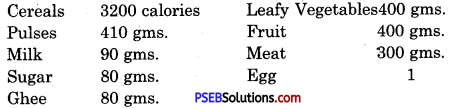
Question 2.
How Computer Works ? Explain each term in detail.
Answer:
The process of processing the data is called the processing cycle of a computer. It is the way of processing within a computer system. Three Steps are Involved in this cycle.

1. Input:
This part is related with input of data and instruction. Computers cannot work without proper input. To enter the necessary data and instructions in the computer input unit is required. Man can enter the data and instruction in its own language and that is converted into computer languages by this input unit. There are many types of input devices used for input. Keyboard is the most common input device used to enter textual data. The second common device for input is the mouse. This device is used to point a special part on the screen or to select a command with mouse pointer. The Other common devices which are used for input are microphone, touch screen, scanner etc.

2. Processing :
Processing is the process of acting according to given instructions. This is the main task done by computer as it gets instructions from the computer. The main aim of Computer is to work as per the given instructions. This task is done by the processor of the computer. The processor is just like the brain of a human being. This processor is also known as the Central Processing Unit.

3. Output :
After processing, the data is converted into some information. The user of the computer needs that information from the computer as its result. This result is shown to the user using output devices. The most common output device is a monitor. The other output devices are speaker, printer and plotters.

Activity

Write the given Items in their respective Category :

  1. RAM
  2. Keyboard
  3. Mouse
  4. ROM
  5. Hard Disk Drive
  6. Printer
  7. Microphone
  8. Speaker
  9. USB Pen Drive
  10. Monitor/LCD.

PSEB 6th Class Computer Solutions Chapter 2 Computer Components - 2
Answer:
PSEB 6th Class Computer Solutions Chapter 2 Computer Components - 3

PSEB 6th Class Computer Guide Computer Components Important Questions and Answers

1. Fill in the Blanks

Question 1.
…………… is the process of entering data and instructions to the computer.
(a) Input Devices
(b) Output Devices
(c) CPU
(d) None of these.
Answer:
(a) Input Devices

PSEB 6th Class Computer Solutions Chapter 2 Computer Components

Question 2.
The process of saving data and instructions permanently is known as ……………….
(a) Memory
(b) Storage
(c) Processing
(d) Output.
Answer:
(a) Memory

Question 3.
The process of producing results from the data for getting useful information is called ………………
(a) Input
(b) Output
(c) Processing
(d) None of these.
Answer:
(c) Processing

Question 4.
Primary storage is also known as …………….. Memory.
(a) Secondary
(b) Main
(c) Auxiliary
(d) All of these.
Answer:
(b) Main

Question 5.
Secondary storage is also called ……………. storage.
(a) Secondary
(b) Main
(c) Auxiliary
(d) All of these.
Answer:
(c) Auxiliary.

2. Write the Full Forms
1. I/O
2. IPO
Answer.
1. I/O – input/Output
2. IPO – input Processing Output

3. Short Answer Type Questions

Question 1.
Draw the diagram of basic functions of a Computer.
Answer:
The five important functions/operations performed by computer are :

  1. Take Input: Computer receives data and instructions from user.
  2. Save : Computer save the information.
  3. Processing : Computer processes the data.
  4. Output: Computer gives output after processing.
  5. Control: Computer controls different parts and all operations.

PSEB 6th Class Computer Solutions Chapter 2 Computer Components - 8

Question 2.
Name the parts of CPU Unit.
Answer:
The three parts of CPU Unit are:

  1. Arithmetic logic unit.
  2. Main Memory unit.
  3. Control unit.

PSEB 6th Class Computer Solutions Chapter 2 Computer Components - 5

Question 3.
What is Memory ? Name two types of memory.
Answer:
The storage capacity of computer is called memory.

Memory are of two types:
1. RAM – Random Access Memory:
The primary storage is referred to as random access memory (RAM) because it is possible to randomly select and use any location of the memory directly store and retrieve data. It takes some time to any address of the memory as the first address. It is also called read/write memory.
PSEB 6th Class Computer Solutions Chapter 2 Computer Components - 9

2. ROM:
ROM is an acronym for Read-Only Memory. It refers to computer memory chips containing permanent or semi-permanent data. Unlike RAM, ROM is non-volatile; even after you turn off your computer, the contents of ROM will remain.

PSEB 6th Class Computer Solutions Chapter 2 Computer Components

Question 4.
Describe about Laptop.
Answer:
Laptop is a portable personal computer. It is light in weight and small enough. It is very easy to operate in a person’s lap. It has its own battery and can be charged easily as required. It can be carried while travelling.
PSEB 6th Class Computer Solutions Chapter 2 Computer Components - 6

Question 5.
What is Tablet ?
Answer:
Tablet is very thin portable computer. It is usually battery powered. It has a touch screen as the primary interface of an input device. It has no keyboard and mouse.
PSEB 6th Class Computer Solutions Chapter 2 Computer Components - 7

4. Long Answer Type Questions

Question 1.
Discuss about Primary Memory.
Answer:
Primary memory is also known as main memory of Computer System. It is directly accessible memory by Microprocessor which is a control unit of CPU. All the instructions and data must be present in primary memory before processing. This memory is also known as main memory of computer. There are two types of primary memories used within the computer.

RAM (Random Access Memory):
This primary memory is the main memory of computer. It is very fast memory of computer. All instructions and data are stored here during processing. This memory is volatile in nature i.e. all contents stored in this memory are lost when power goes off. This device cannot hold data permanently.

ROM (Read Only Memory):
This memory is a permanent memory attached on the motherboard of computer system. Content stored in it cannot be changed as it is read only memory. This memory hold instructions and data required for computer system to start. No write operation is allowed on this memory.

Question 2.
Discuss about Secondary Memory.
Answer:
Secondary Memory
Secondary storage is called auxiliary storage. It is a permanent memory of computer system. As we studied earlier, primary memory RAM is not permanent and ROM do not allow user to store any data on it. So, to provide permanent storage in computer, we use secondary storage devices. This memory is not directly accessible by the processor. It is for storing data not in active use. So it is called non-volatile memory. In a personal computer, secondary storage typically consists of hard disk drive and many removable media like CD, DVD or USB Pen Drive etc.

PSEB 6th Class Computer Solutions Chapter 2 Computer Components

Question 3.
Explain Control Unit.
Answer:
Central Processing Unit of a computer system can be divided into three parts:-

  1.  Memory Unit (MU)
  2. Control Unit (CU)
  3. Arithmetic Logical Unit (ALU)

1. Memory Unit:
Memory Unit of a computer system is also known as “Storage Unit”. It holds data and instructions in computer system. There are several types of memories. Each of them is having its different role to perform. Their size, storage capacity, nature of operation and speed make them different from each other.

2. Control Unit:
The control unit is the brain of computer. It performs all the operations given in the form of input instructions or programs. It also controls the functioning of all other components of computer. It accepts all the instruction from input unit and generates series of control signals according to the input instructions given. These Control Signals then operate the other parts of the computer. This is the main function of Control unit.

3. Arithmetic Logical Unit (ALU):
This is a core component of computer CPU. As per its name, it performs all the arithmetic and logic related tasks during processing. In digital computer, all the operations are performed logically and contain a lot of calculations to be processed. Processing of arithmetic operations and all logical operations like AND, OR, NOT etc. are done by this part of CPU. This part of computer system is integrated within the “Microprocessor”.